
Contract Templates
Upload, activate, and manage the document template used for partner agreements and signing workflows.
Before you start
- Prepare the contract file you want to use as the active template.
Where to find it
Merchant sidebar → Settings → Contract Templates
Steps
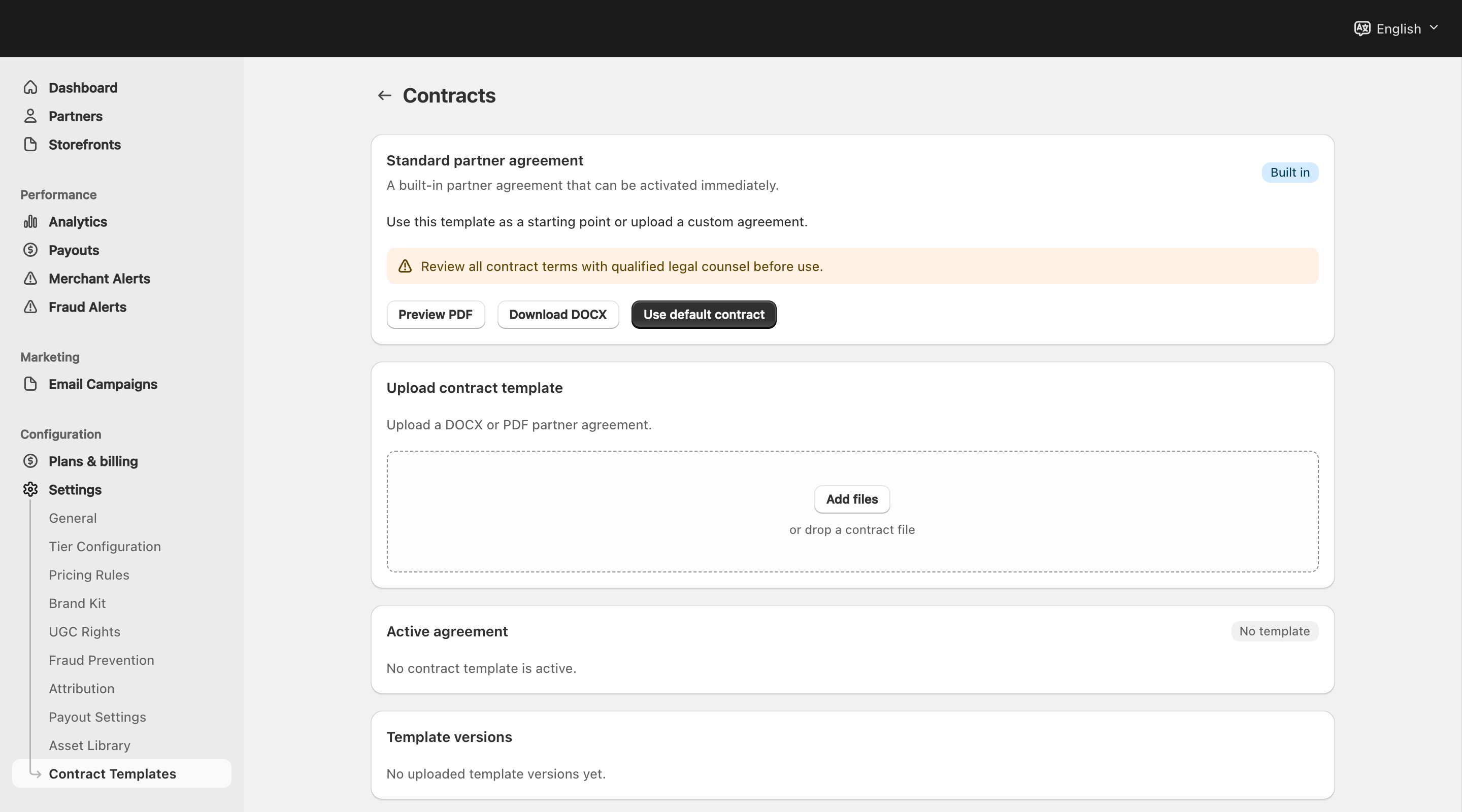
View full-size image: Contract templates before activation
Step 1.
Open Settings → Contract Templates.
Step 2.
Upload the .docx template you want to use for partner agreements.
Step 3.
Review the supported placeholders shown on the page and fix the file if unsupported placeholders were rejected.
Step 4.
Review the template versions listed on the page.
Step 5.
Activate the version that should be used for new contract drafts.
Step 6.
Open a partner record afterward when you are ready to generate and send a contract.
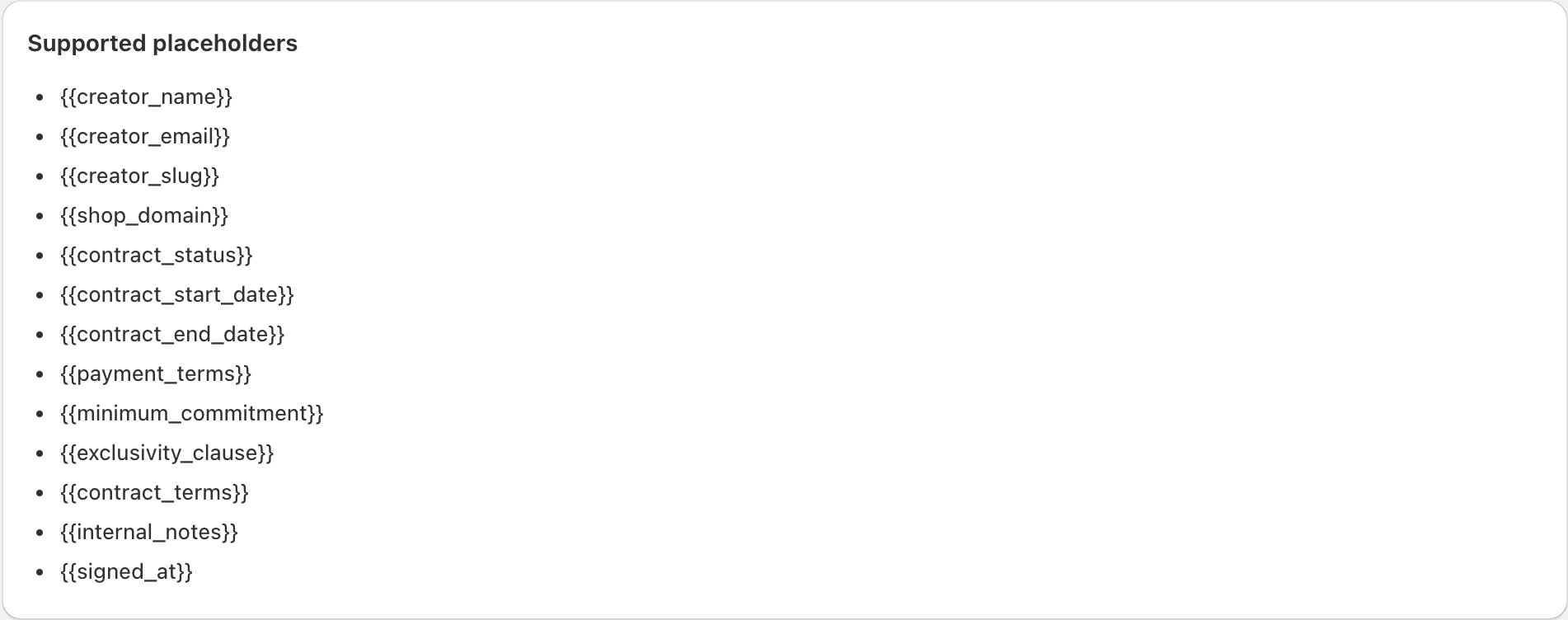
View full-size image: Supported contract placeholders
Settings explained
- Active template is the version used for new contract drafts.
- Template versions let merchants keep older versions for reference. Uploading a new active template archives the previous active version instead of deleting it.
- Supported placeholders define which merge fields the DOCX file can use. The upload requires at least one supported placeholder and rejects unsupported ones.
- Generate draft creates a contract DOCX from the active template inside the partner workflow.
- Send, resend, and void are the merchant actions that control the contract lifecycle after a draft exists.
- Signed output includes the generated DOCX and, after signing completes, a signed PDF summary for long-term reference.
Example
A merchant uploads a new agreement, activates it, opens a partner record, generates a draft, and sends the contract for signature before the partner starts the next campaign.
Tips and limits
- Double-check the active template before sending a batch of new contracts.
- Keep the source file in
.docxformat. PDF or unsupported placeholder files will not activate as templates. - Activate the right version first instead of assuming the latest upload is already live.
- If a partner says the contract looks outdated, review the active template and the contract version history.