
MerchantGuide
Brand Kit
Add approved talking points, hashtags, tone guidance, and brand rules that VIP partners can reuse in content work.
Last reviewed: Sep 14, 2026UI path: Merchant sidebar → Settings → Brand Kit
Before you start
- Prepare the key messaging and style guidance you want partners to follow.
Where to find it
Merchant sidebar → Settings → Brand Kit
Steps
ScreenshotSteps 1-4
Local image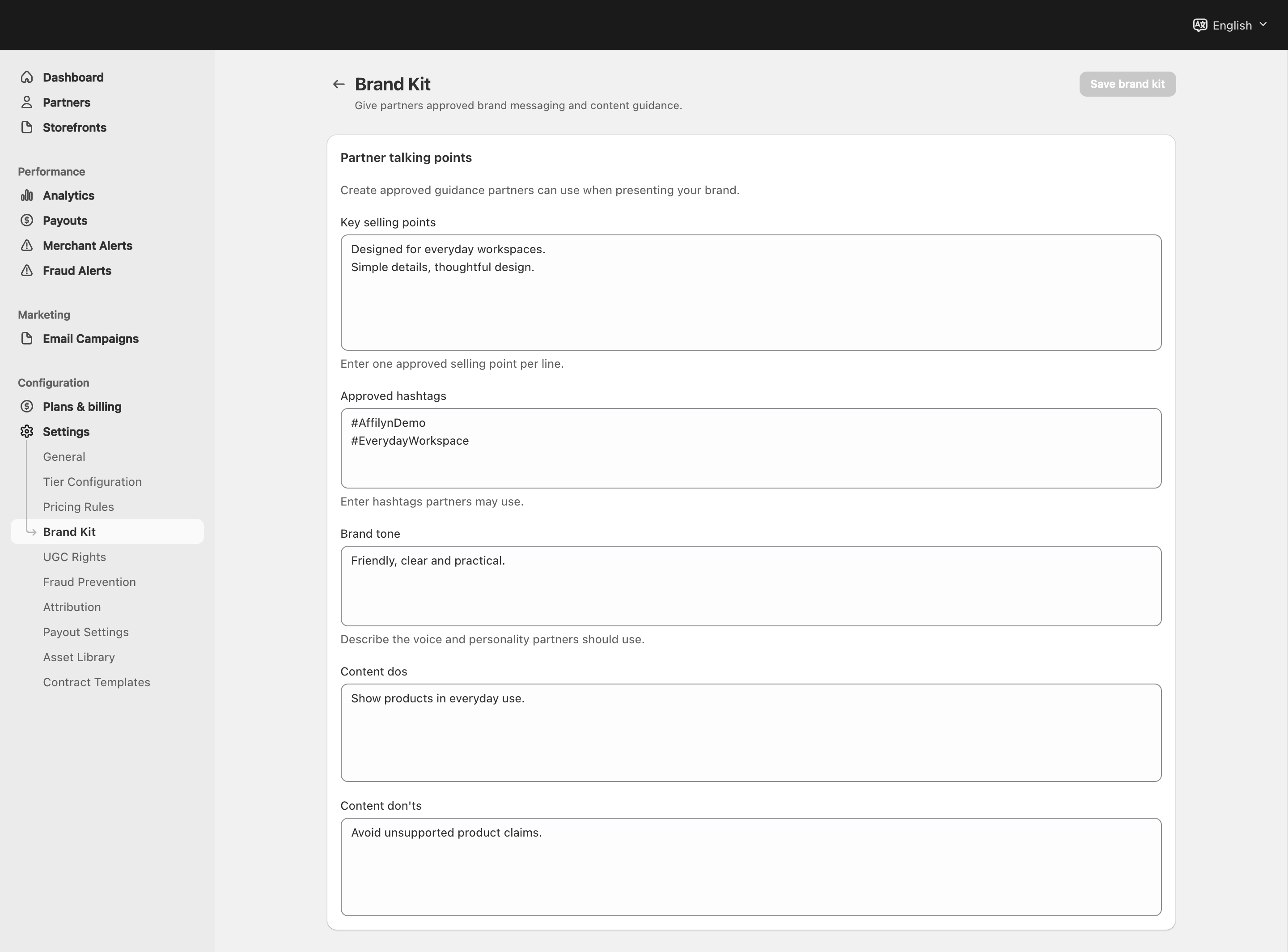
View full-size image: Brand messaging fields
Step 1.
Open Settings → Brand Kit.
Step 2.
Add the key selling points partners should repeat consistently.
Step 3.
Add suggested hashtags if your campaigns rely on them.
Step 4.
Write short tone guidance so partners understand the voice you expect.
Step 5.
Add clear do's and don'ts before saving the page.
Settings explained
- Key selling points are the core benefits partners should highlight.
- Suggested hashtags help partners stay aligned with campaigns.
- Tone of voice tells partners how the brand should sound.
- Do's explain what content habits you want.
- Don'ts help prevent brand mistakes before they happen.
Example
A merchant adds three product benefits, a short list of campaign hashtags, and concise do's and don'ts so VIP partners can create on-brand content without long back-and-forth review.
Tips and limits
- Keep brand guidance short enough to reuse easily.
- Update the page before major launches or seasonal campaigns.
- If partner content feels inconsistent, review this page before rewriting every asset manually.