
Settings guide
Use these pages to manage business details, partner rules, public application intake, payouts, branding, and operational settings.
Go here if...
When to use this page
- You need to change long-term program configuration instead of handling a one-off operational task.
- You are unsure whether a merchant task belongs in Settings or in the merchant workflow pages.
Before you start
- Finish the first-time setup flow.
Top tasks
Success looks like
- You can find the correct settings page for partner applications, payouts, contracts, assets, or general program rules.
- You understand that public recruiting requires both admin settings and Theme Editor placement.
Where to find it
Merchant sidebar → Settings
Steps
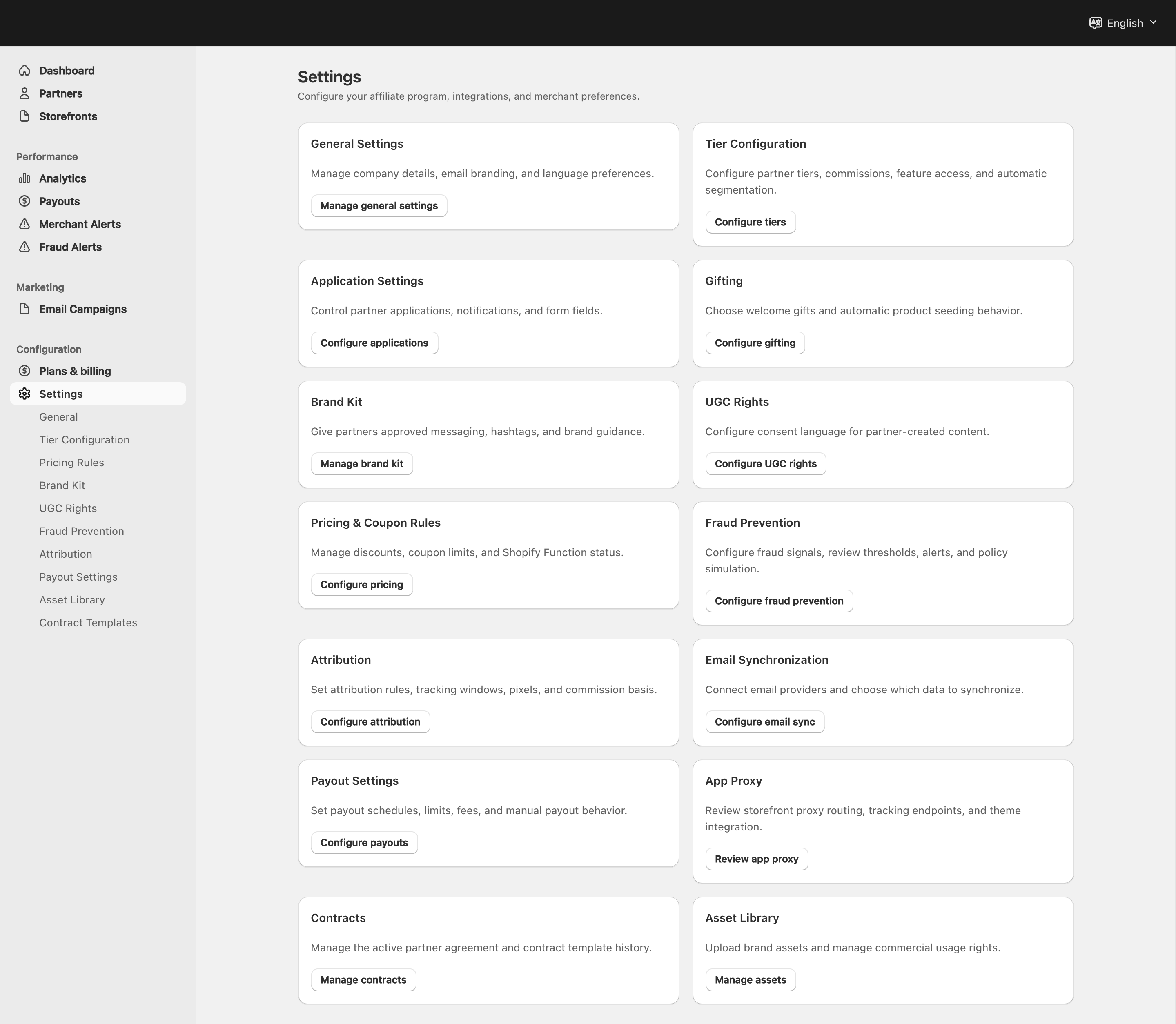
View full-size image: Merchant Settings overview
Step 1.
Open General to review business details and reply information.
The setup wizard’s Fine-tune settings choice opens this page first.
Step 2.
Open Partner Program to enable public applications in admin and control the review-related settings for inbound partner requests.
Step 3.
Open Tier Configuration and Pricing Rules to manage partner access and storefront discounts.
Step 4.
Open the operational settings pages when you need payouts, email sync, gifting, assets, contracts, or storefront routing checks.
Step 5.
Return to settings whenever your program rules or brand guidance change.
Settings explained
- Settings control long-term program configuration; one-off partner, payout, and application decisions belong in their operational workflow pages.
- Partner Program handles the admin side of public intake, including notifications and application configuration.
- The visible storefront application button is placed separately in Shopify Theme Editor through Partner Apply Button and Partner Application Modal.
Example
A merchant updates tier names, adjusts commission rules, connects a payout method, and then opens Partner Program to enable public applications before placing the storefront application button in the theme.
Tips and limits
- Review settings after any major program change.
- Use the exact settings page that matches the workflow you want to control instead of trying to manage everything from the dashboard.
- Do not assume enabling Partner Program automatically places the storefront application CTA. Theme Editor placement is a separate step.