
Payments and billing
Compare free access and monthly or yearly merchant subscriptions, then understand Shopify billing and payout workflows across both sides of the app.
Go here if...
When to use this page
- You need to choose free access or a monthly or yearly merchant subscription and understand Shopify billing.
- You need the shared payout explanation before opening role-specific payout pages.
- You are trying to understand thresholds, request eligibility, readiness, or approval flow.
Before you start
- Complete the payout setup that matches your role.
Top tasks
Success looks like
- A merchant can find the live plan, monthly and yearly pricing, limits, and subscription controls.
- A merchant can tell whether setup belongs in Settings or the payout queue.
- A partner can tell whether the blocker is account linking, active method, threshold, or pending status.
Where to find it
Merchant sidebar → Plans & billing, Payouts, or Settings → Payout Settings; Partner dashboard → Payout Settings
For current connection and destination examples, see the illustrated PayPal guide.
Steps
Merchants looking for Affilyn plan pricing or subscription controls should start with Subscription plans and billing. Paid plans offer a Monthly / Yearly choice: monthly renews every 30 days, while yearly is approved as one annual Shopify payment with a plan-specific discount. The payout steps below cover how merchants and partners move earned commissions; they are separate from the merchant's recurring Affilyn app subscription.
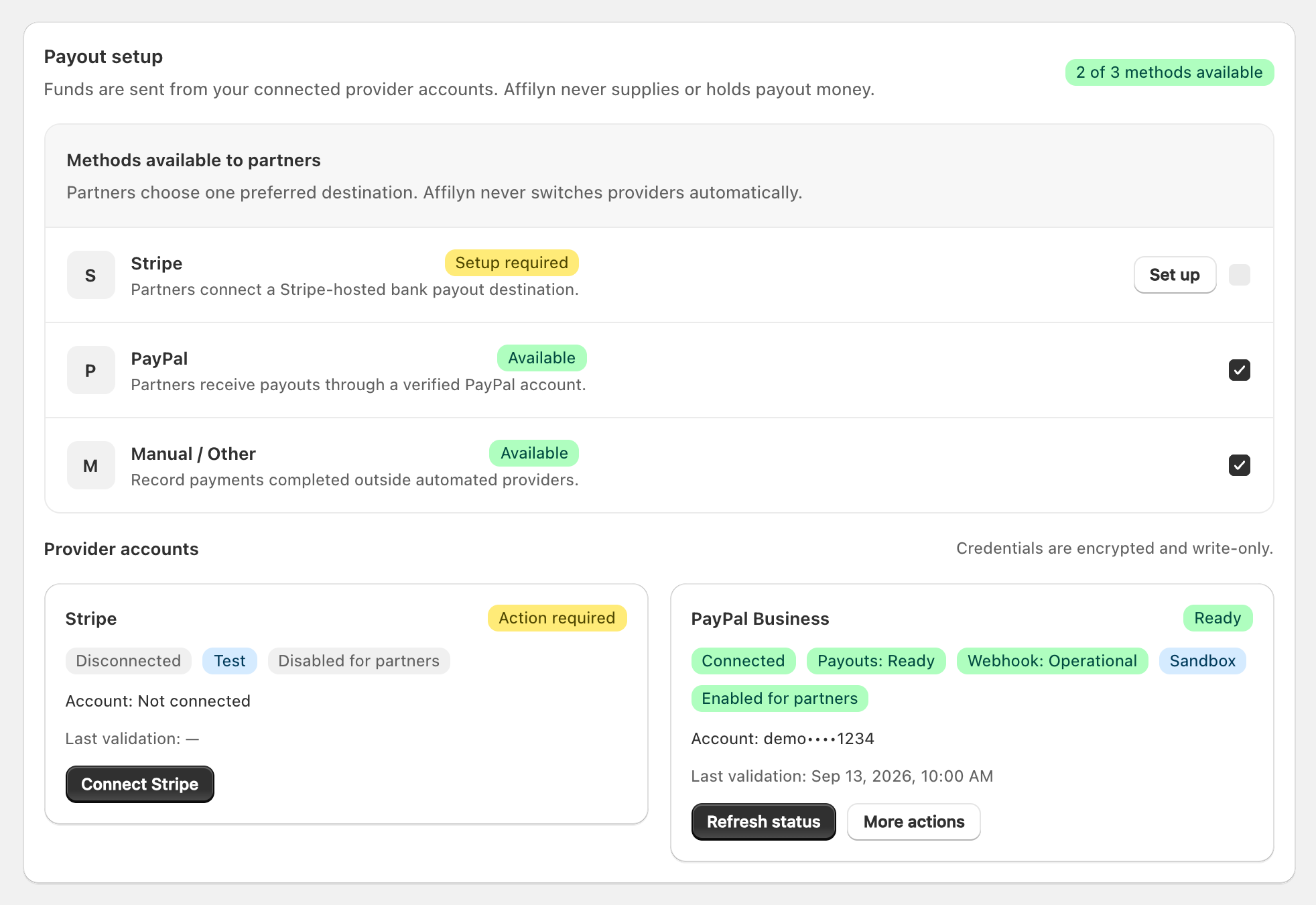
View full-size image: Merchant payout providers and availability
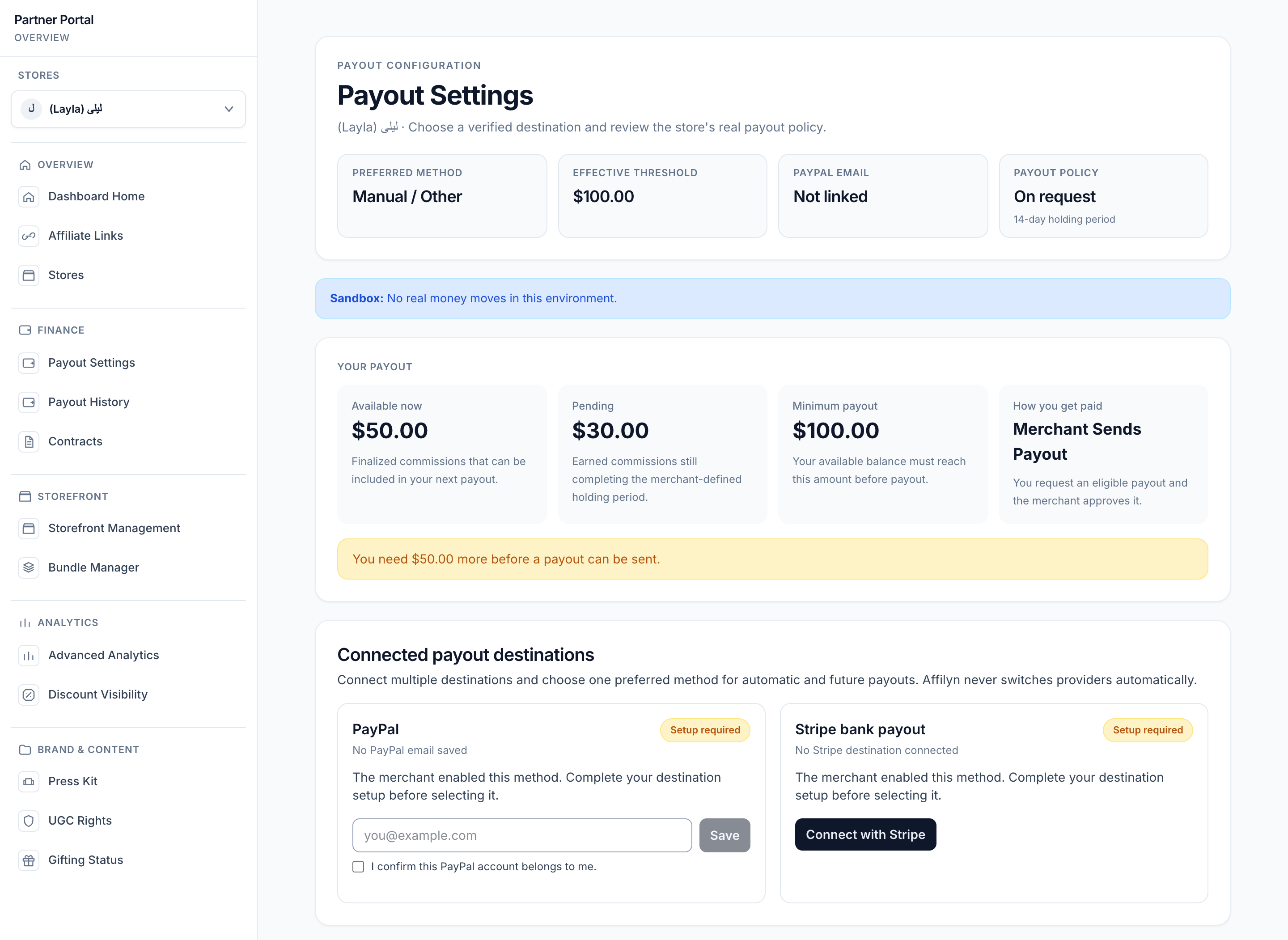
View full-size image: Partner payout settings and balance
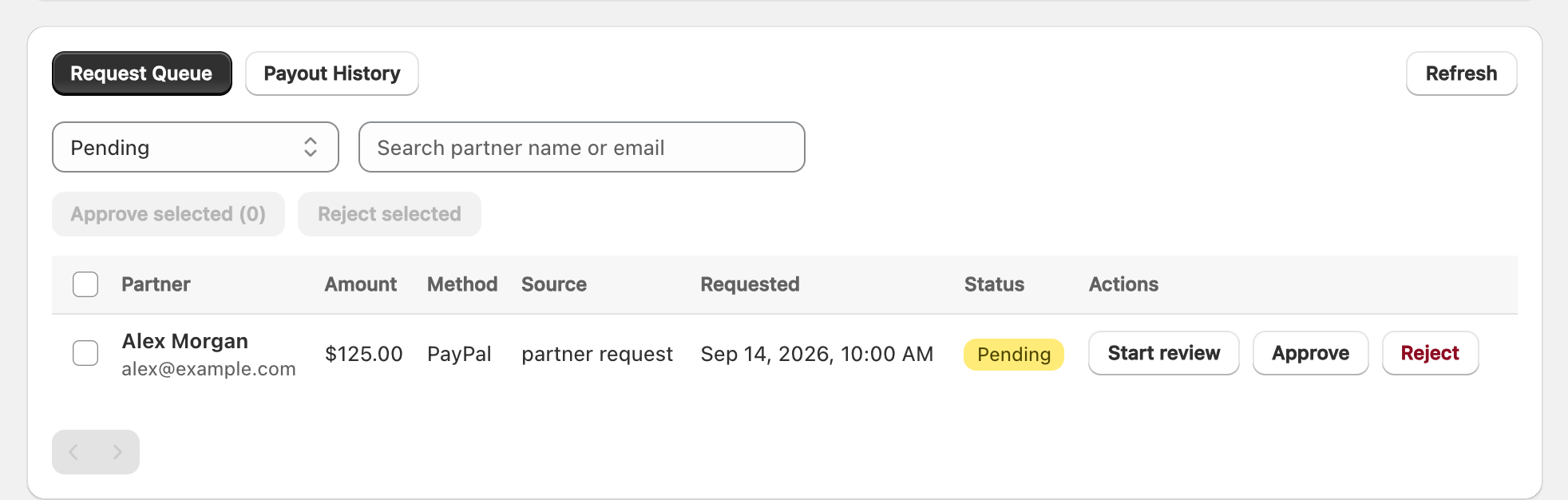
View full-size image: Payout request queue
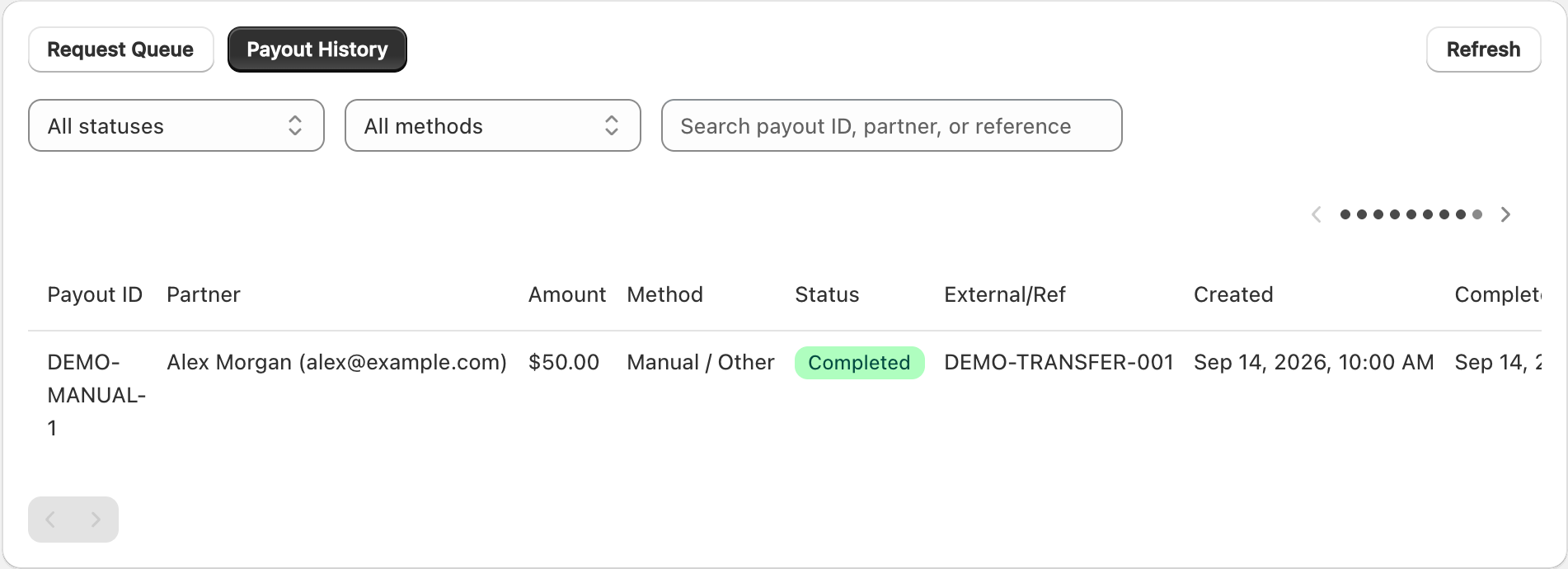
View full-size image: Manual payout history example
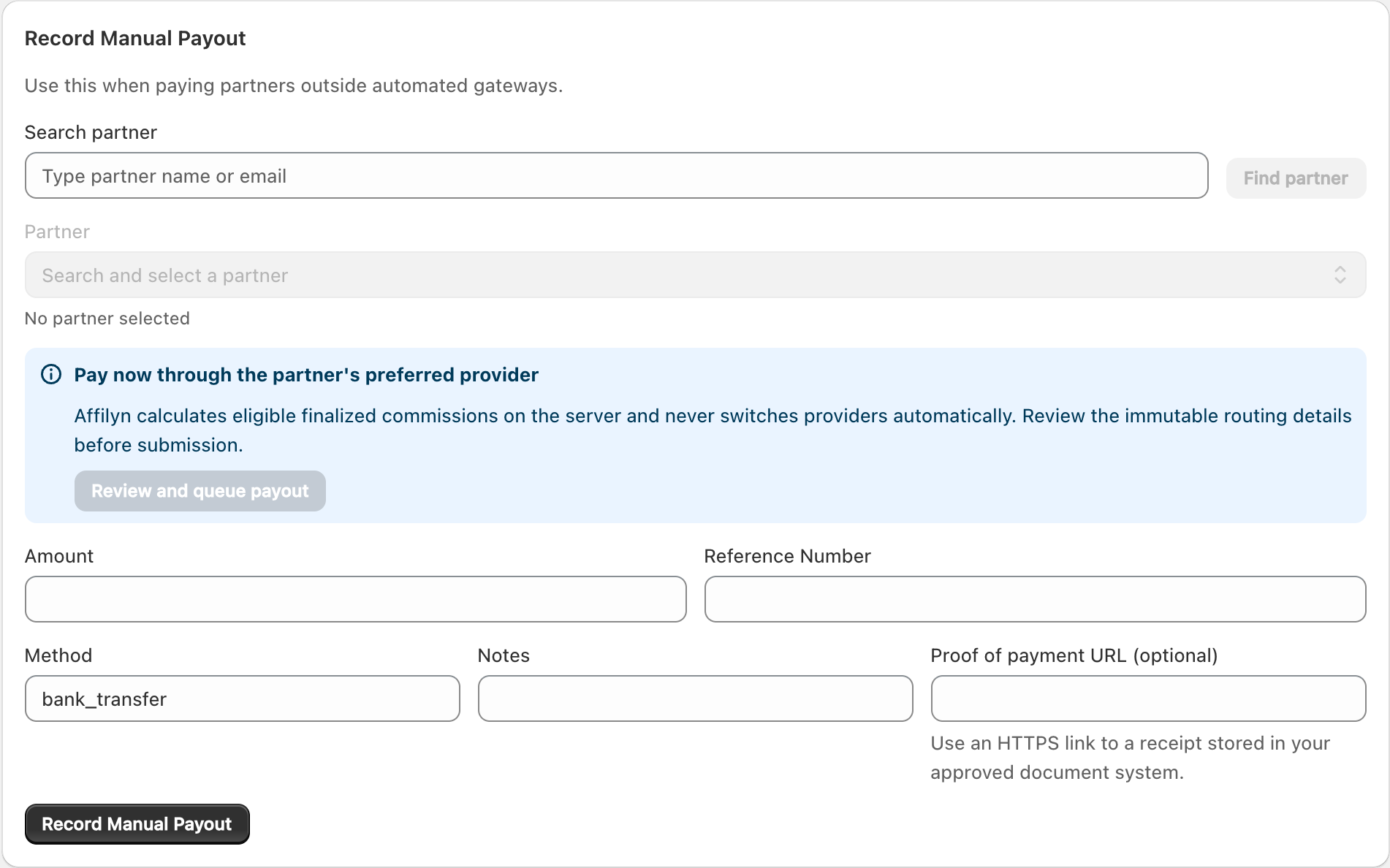
View full-size image: Record a manual payout
- Merchants should confirm payout readiness in Settings → Payout Settings before handling requests.
- Partners should open Payout Settings in the correct store, link the needed payout account, and only then choose the active payout method.
- Partners can request payout only when the active method is automated, the linked account is verified, the threshold is met, and no earlier request is in flight.
- Merchants review requests in Request Queue, approve or decline them, and use Payout History or Record Manual Payout as needed.
- Both sides can review recent request and payout history afterward.
Settings explained
- Merchant payout settings define store policy and method availability. Merchant-owned PayPal Business and Stripe accounts support automated execution after provider validation; Manual / Other records payments sent outside Affilyn.
- Partner payout settings separate destination linking, confirmation/verification, and preferred-method selection. Saving a PayPal email sends a one-time 24-hour confirmation link; it cannot become preferred until confirmed.
- Thresholds can come from the shop default or a creator override. The current override is stored on the creator profile and therefore applies across store contexts rather than being truly store-specific.
- Manual / Other and None (disable payout requests) are valid partner states, but they do not allow automated payout-request submission.
- Test mode notices appear only when the UI is running in test mode. Test execution uses the provider sandbox associated with the configured merchant credentials and remains isolated from live credentials.
- Reservations are created transactionally when a request is submitted, tying the exact eligible commission rows to that request and preventing duplicate requests for the same balance.
- Lifecycle normally progresses from
pendingtounder review,approved,processing, andpaid; it may instead becomerejected,cancelled,failed, orreversed.
Example
A partner confirms a PayPal payout email for one store, marks PayPal preferred, waits until the threshold and holding period pass, submits a payout request, and then waits for merchant approval and provider-confirmed settlement.
Tips and limits
- Requesting payout too early will fail if account linking, verification, threshold, or pending-request rules are not satisfied.
- Partners can cancel a pending or under-review request, which releases its reserved balance.
- Merchant payout approval should always happen after gateway readiness and fraud checks.
- If one store shows different payout options than another, trust the current store context first before assuming something is broken.
- Merchant app charges and partner payouts are separate workflows. Use Plans & billing for the Affilyn subscription and the payout pages for commission payments.