
Standard AffiliateOverview
Standard Affiliate guide
Use these pages to manage links, profile details, store access, payouts, and contracts as a Standard Affiliate.
Last reviewed: Sep 14, 2026UI path: Partner dashboard
Go here if...
When to use this page
- You are a logged-in partner using the standard toolset for daily work.
- You need a clear path for links, payouts, store context, contracts, or profile updates.
Before you start
- Sign up and log in as a partner.
Top tasks
Language and appearanceChoose your portal language and light, dark, or system appearance.Dashboard and profileReview the standard dashboard, profile, and store context behavior.Affiliate linksGenerate and export tracked links for the active store.Payout settings and historyLink payout methods and request earnings when eligible.Contracts and signingCheck contract status and complete required signatures.
Success looks like
- You can find links, payouts, contracts, and store-context guidance without leaving the standard partner path.
- You understand that some tools can change by store or tier.
Where to find it
Partner dashboard
Steps
ScreenshotStandard Affiliate access
Local image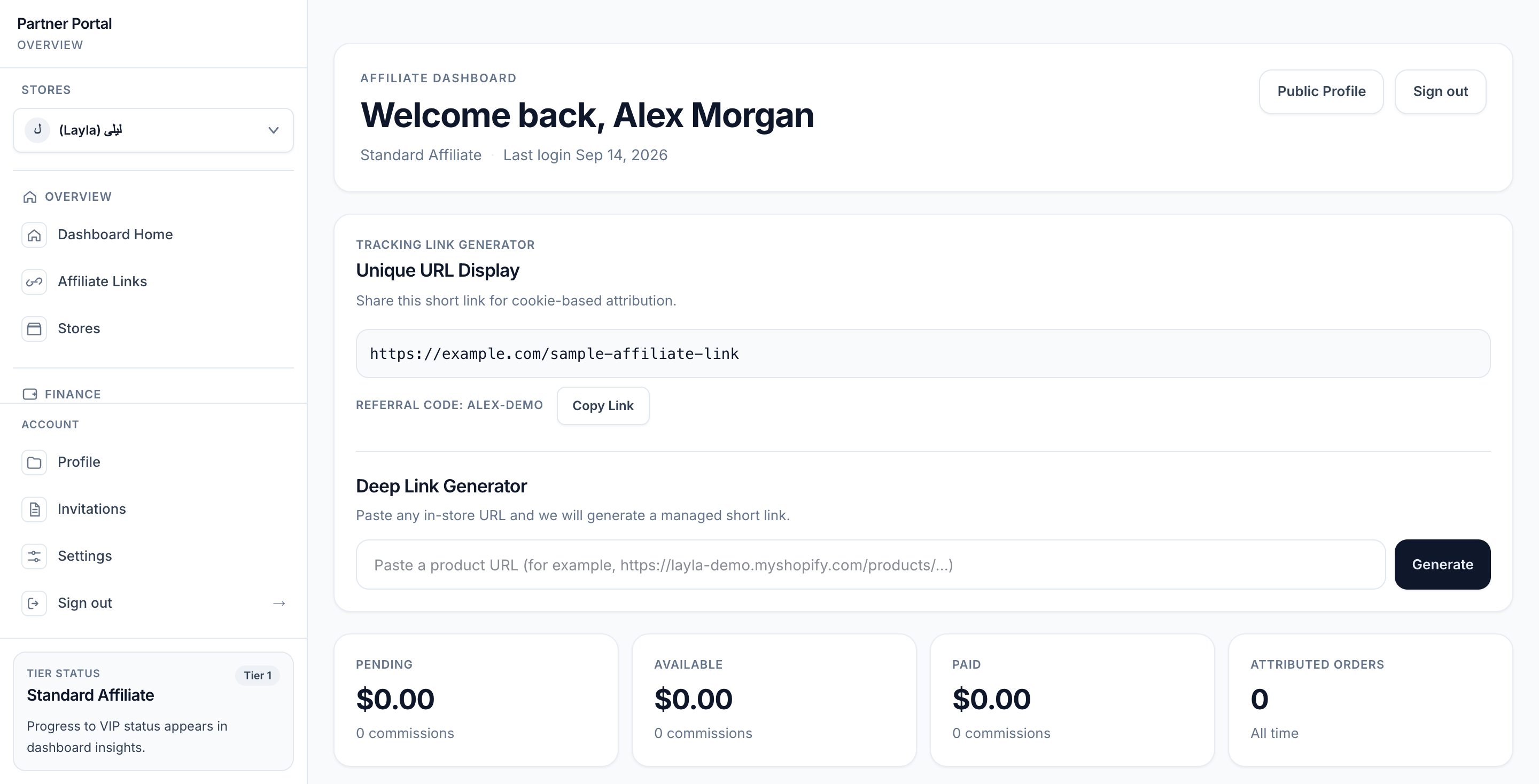
View full-size image: Standard Affiliate dashboard
Step 1.
Start with Dashboard and profile to understand your main workspace.
Step 2.
Use Affiliate Links for day-to-day promotion work.
Step 3.
Use Payout Settings and history to manage earnings and requests.
Step 4.
Use Contracts and signing whenever a merchant sends a new agreement.
Settings explained
- Standard Affiliates focus on promotion, performance tracking, and payout readiness.
- VIP-only storefront tools do not appear here unless your current store relationship gives you VIP access.
- Read Standard Affiliate, VIP Partner, and Storefront to understand promotion, feature gates, and what changes at Tier 2.
Example
A Standard Affiliate logs in, checks new commission activity, copies fresh links for a campaign, updates payout details, and then reviews a contract that needs attention.
Tips and limits
- Your available features can change by store, not only by account.
- Keep payout details and profile details current so merchants can process requests without delay.