
Attribution settings
Choose how partner credit works, how long attribution lasts, and how commission timing and calculation rules behave.
Before you start
- Decide how partner credit and commission timing should work in your program.
Where to find it
Merchant sidebar → Settings → Attribution
Steps
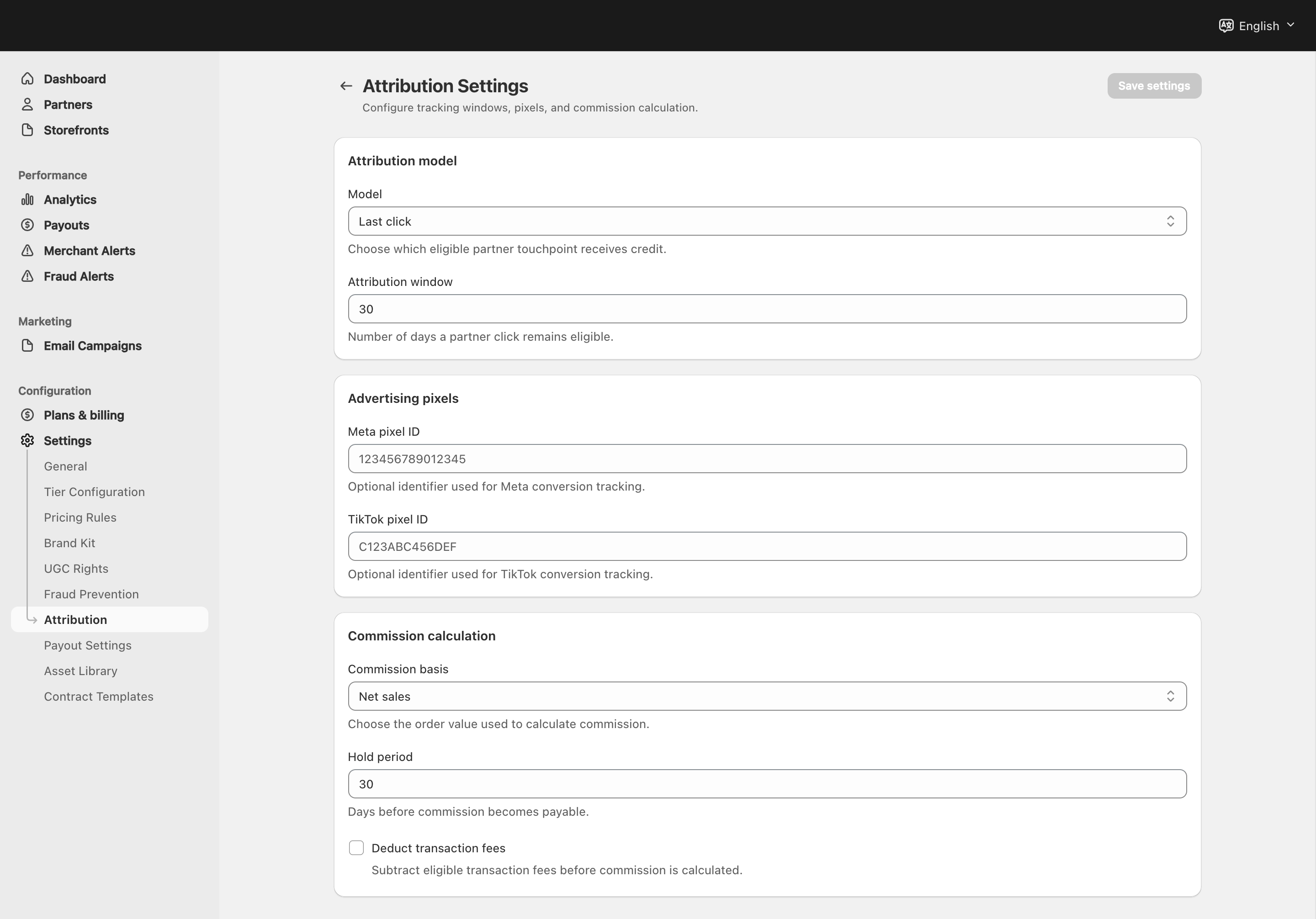
View full-size image: Attribution and commission calculation
Step 1.
Open Settings → Attribution.
Step 2.
Choose the attribution model that should decide which partner gets credit.
Step 3.
Set the cookie duration that matches how long partner influence should last.
Step 4.
Add the supported tracking IDs if your workflow uses them.
Step 5.
Review the commission basis and the hold period before saving the page.
Step 6.
Decide whether transaction fees should be deducted when that option is shown.
Settings explained
- Attribution model decides how credit is assigned when more than one partner touched the shopper journey.
- Cookie duration controls how long attribution stays active.
- Pixel fields support supported tracking and reporting setups.
- Commission basis controls what amount the system uses to calculate commissions.
- Hold period controls how long commissions stay pending before becoming available.
- Deduct transaction fees changes how the commission base is handled when that option is enabled.
Example
A merchant keeps a longer cookie window for content-driven discovery, chooses the preferred attribution model, and keeps a hold period in place so commissions do not become available too early.
Tips and limits
- Review attribution and payout rules together because they directly affect partner expectations.
- Change cookie duration carefully if campaigns depend on longer consideration windows.
- If partners question their earnings timing, check this page before troubleshooting payouts.