
All rolesOverview
Getting Started
Start here to set up Affilyn for the first time or sign in with the correct account.
Last reviewed: Sep 14, 2026UI path: Main navigation → Getting Started
Go here if...
Set up a merchant accountUse the merchant onboarding flow, then continue into settings and operational guides.Sign in as a partnerUse the sign-up or login flow that leads into the partner dashboard.I am not logging inUse the visitor guide for public storefronts, discounts, applications, and post-purchase expectations.
When to use this page
- You are starting from scratch and need the first product steps for your role.
- You want the right onboarding page before moving into deeper task guides.
Before you start
- Install or access the correct Affilyn account for your role.
Top tasks
Success looks like
- You know whether to open merchant onboarding, partner login, or the visitor-facing docs.
- You can complete your first entry step without guessing which guide family owns it.
Where to find it
Main navigation → Getting Started
Steps
- If you installed Affilyn in Shopify and manage the program, begin with Merchant first-time setup. After onboarding, you will work from the merchant dashboard.
ScreenshotMerchant dashboard
Local image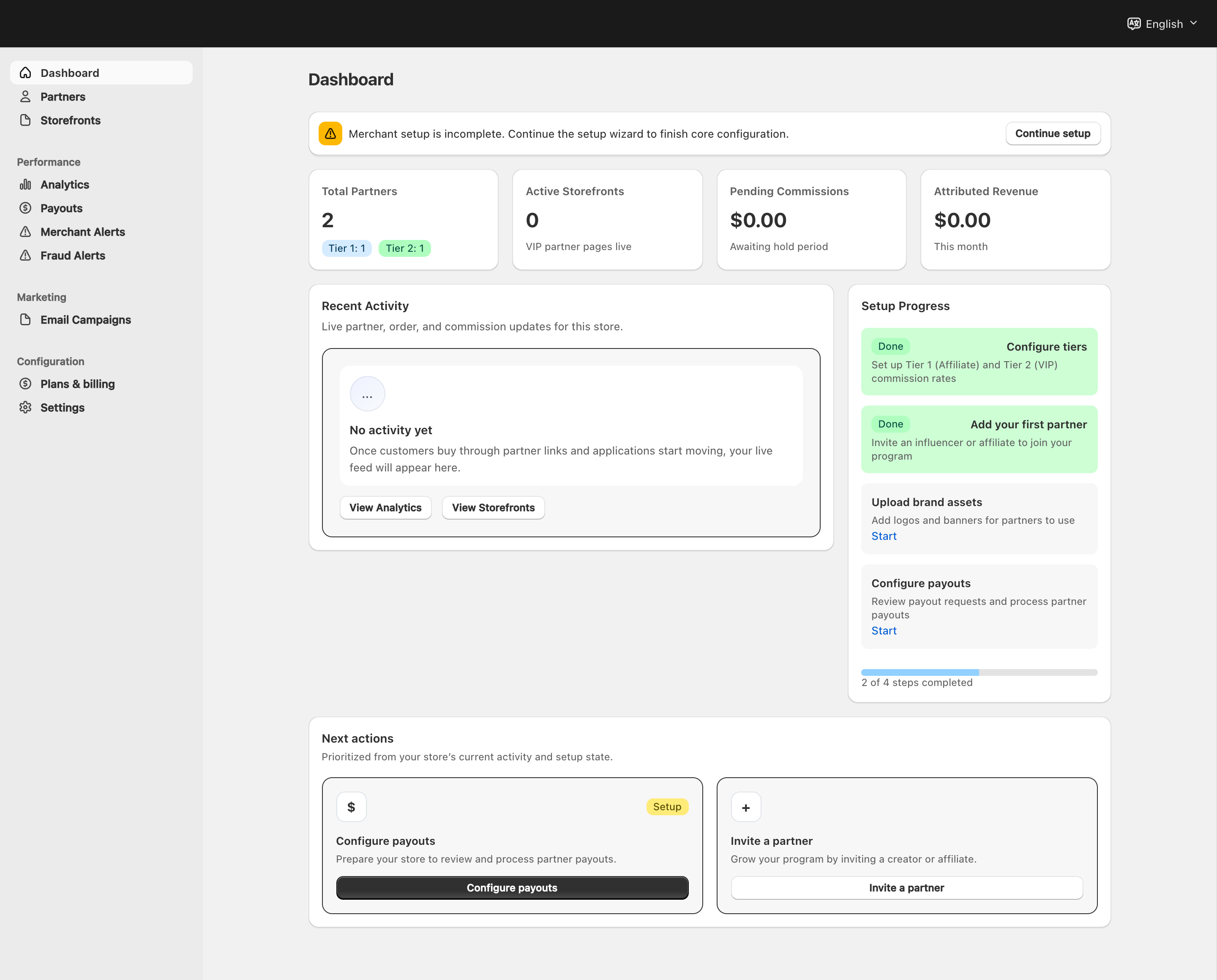
View full-size image: Merchant dashboard and navigation
- If you joined a store program to share links and earn commission, begin with Partner signup and login. Standard Affiliates continue into the affiliate dashboard after access is approved.
ScreenshotPartner navigation
Local image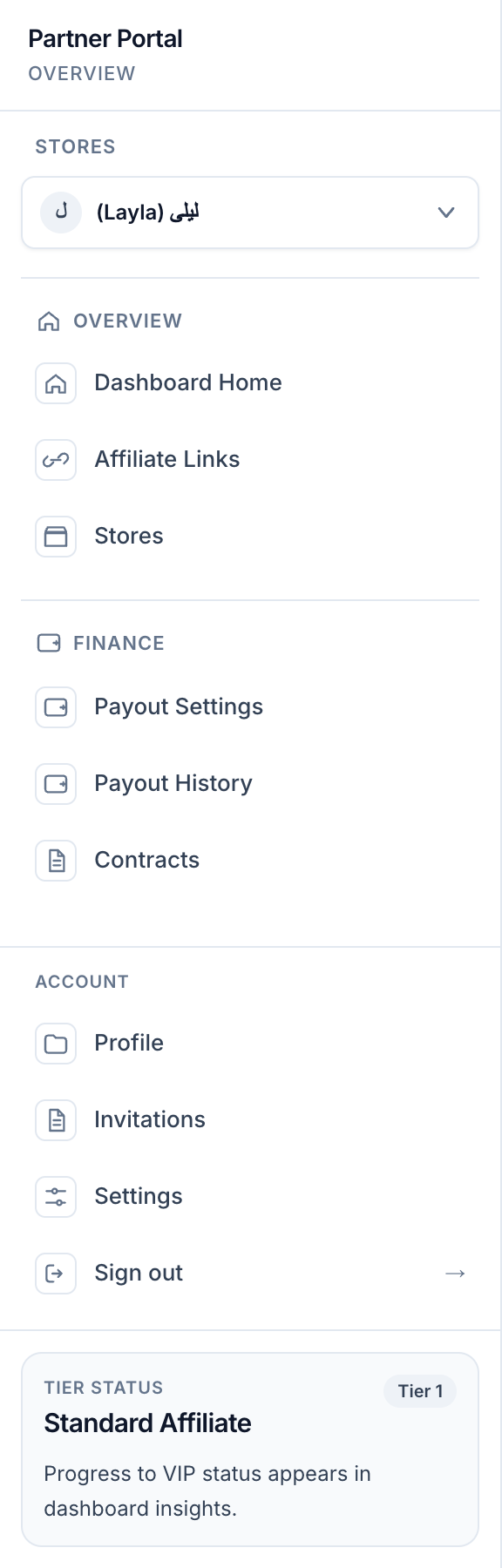
View full-size image: Standard Affiliate navigation
- If you are a VIP Partner, begin with Partner signup and login and then continue into the VIP dashboard with the extra storefront and analytics tools.
ScreenshotStorefront editing
Local image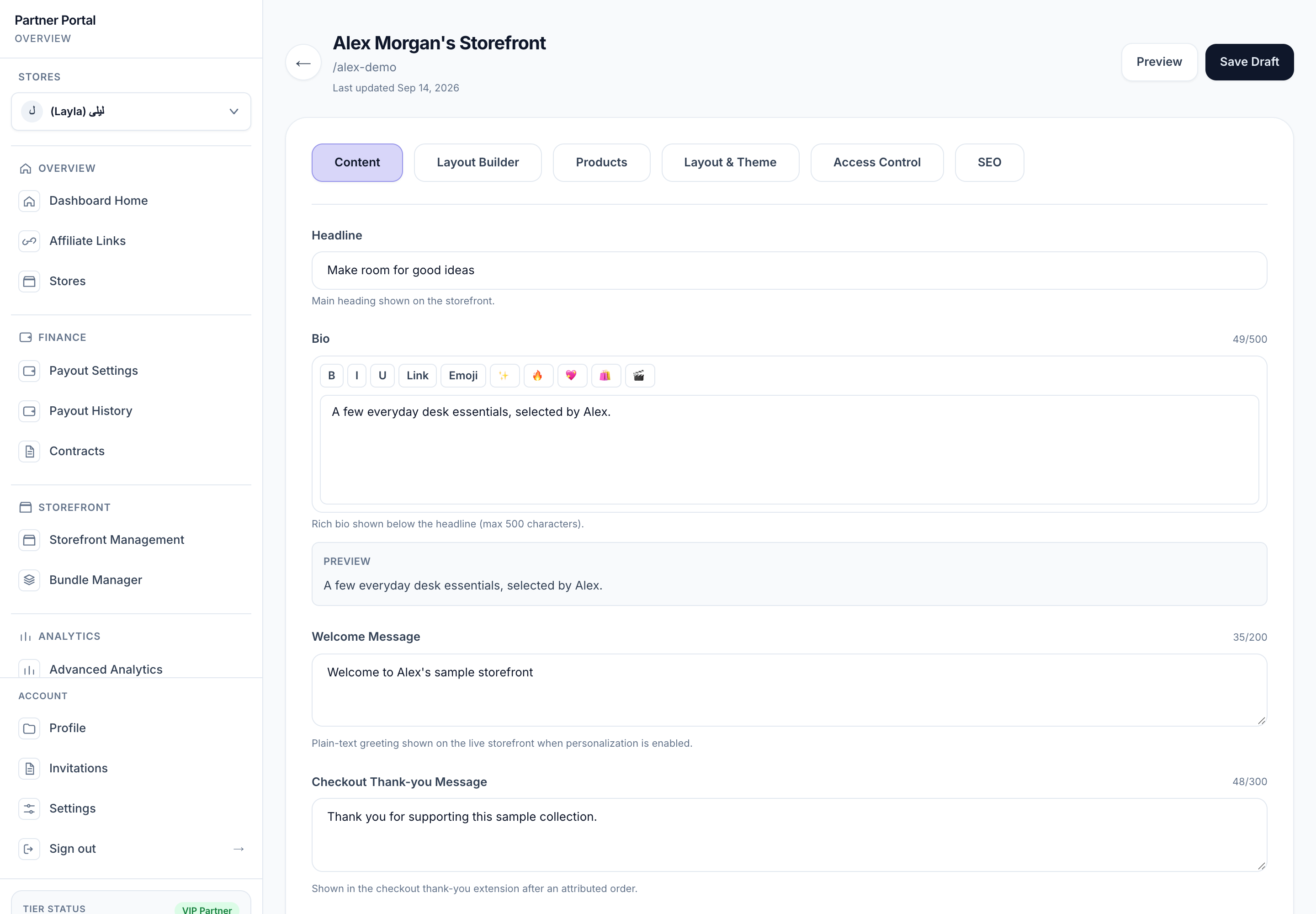
View full-size image: VIP storefront content controls
- If you are not logging in and only need public storefront, application, or post-purchase guidance, open the Visitor Guide.
Settings explained
- Merchant onboarding starts inside the app after installation.
- Partner access starts from the sign-up page or login page, then continues through the email link.
- Later instructions depend on your role, tier, and store affiliations.
Example
A merchant installs Affilyn, completes the setup wizard, and then opens the settings pages to finish program rules and payout setup. A partner signs up, receives access, and then enters the dashboard with a magic link.
Tips and limits
- Some setup steps are optional during first launch, but leaving them unfinished can block later workflows.
- Payout and billing information must stay aligned with what the live product shows.