
VIP PartnerGuide
Press Kit, rights, and gifting
Download approved brand assets, review content rights, and track VIP welcome gift progress from the premium partner tools area.
Last reviewed: Sep 14, 2026UI path: Partner dashboard → active VIP store → Brand & Content → Press Kit, UGC Rights, Gifting Status
Before you start
- Have VIP Partner access in the current store.
Where to find it
Partner dashboard → active VIP store → Brand & Content → Press Kit, UGC Rights, Gifting Status
Steps
ScreenshotStep 1
Local image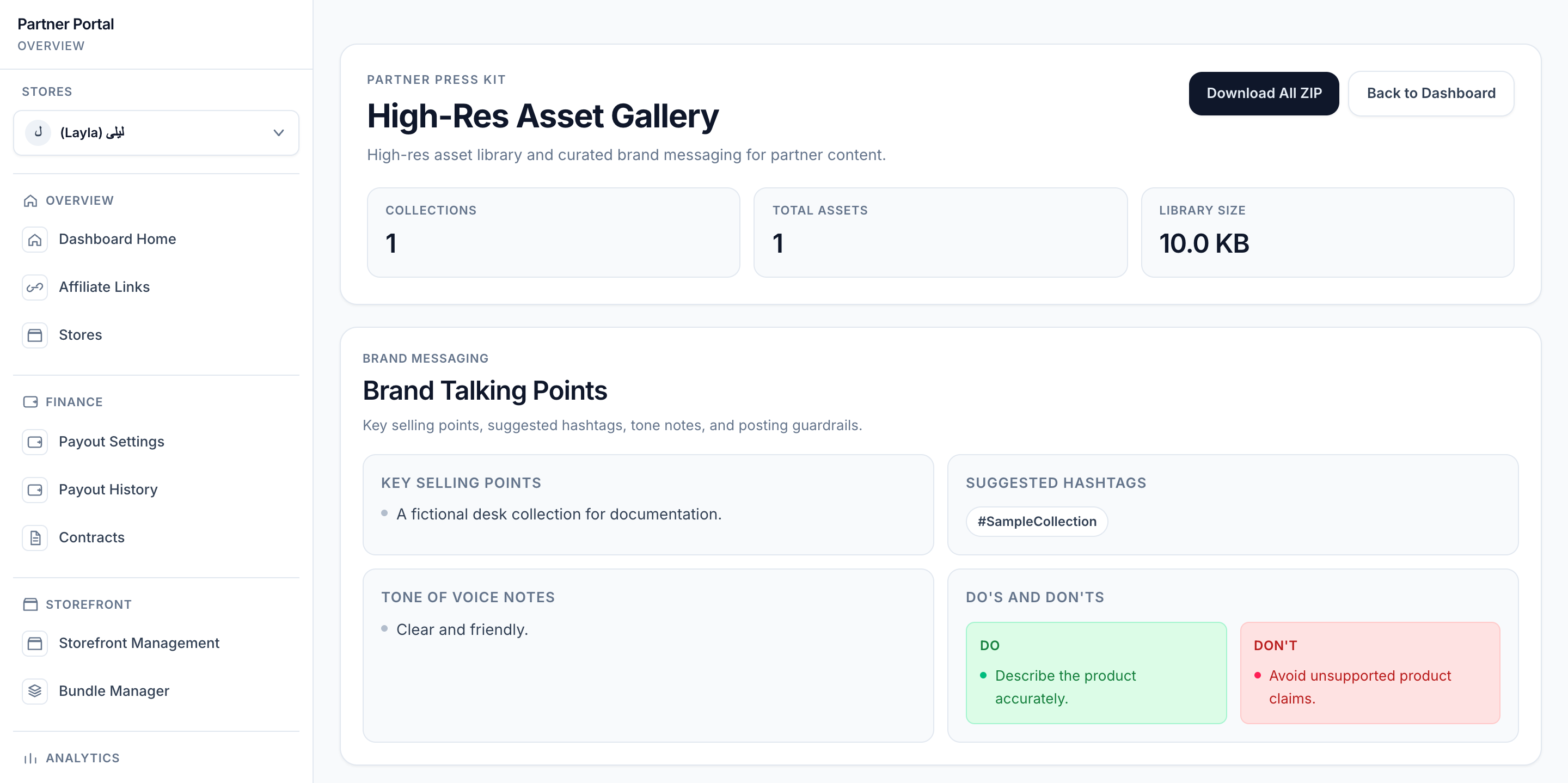
View full-size image: Press Kit and brand guidance
- Open Press Kit to review approved assets, product photos, and brand guidance.
- Use Download All ZIP for the full press kit, or use Photos By SKU to download one product group at a time.
- Open UGC Rights to review which assets allow commercial usage and which ones need attention.
- Open Gifting Status to review welcome gift progress.
- Update the shipping address if the gift details page shows that a change is needed.
- Re-check rights status after uploading new content or changing campaign permissions.
ScreenshotStep 2
Local image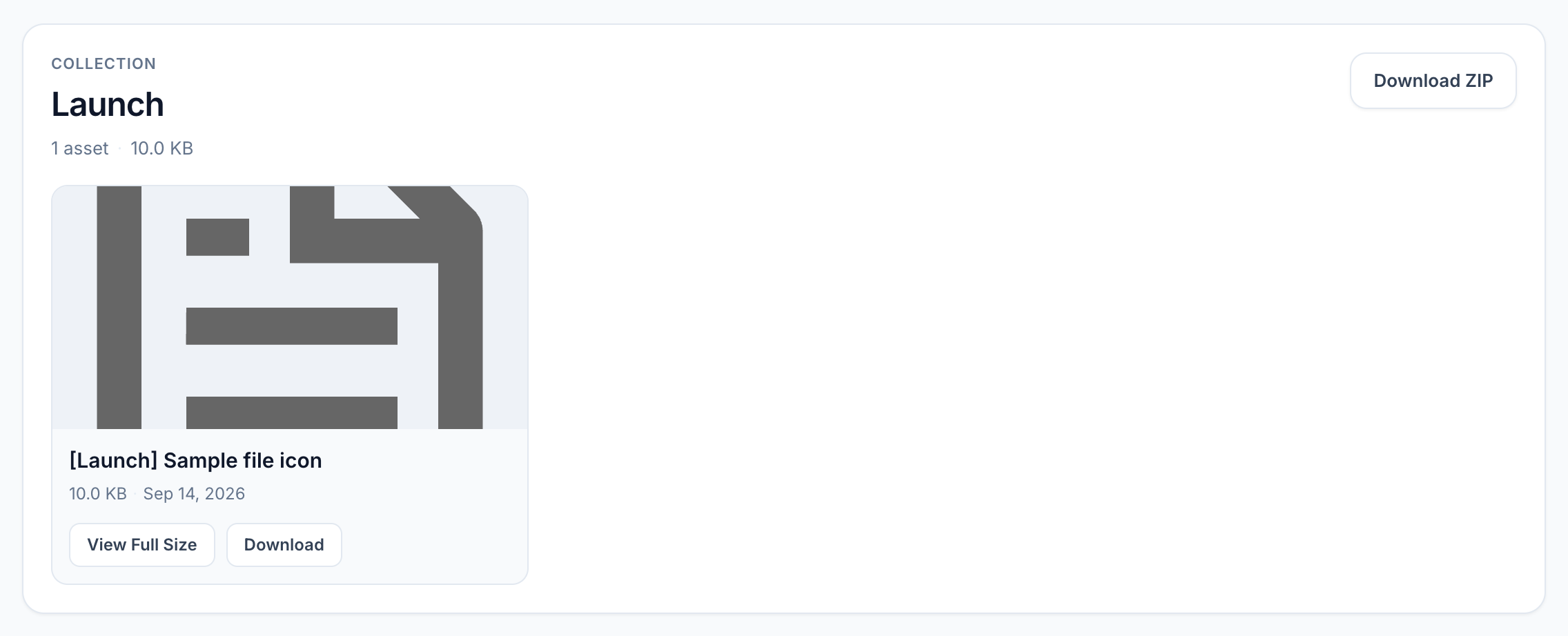
View full-size image: Press Kit collection and file controls
ScreenshotStep 3
Local image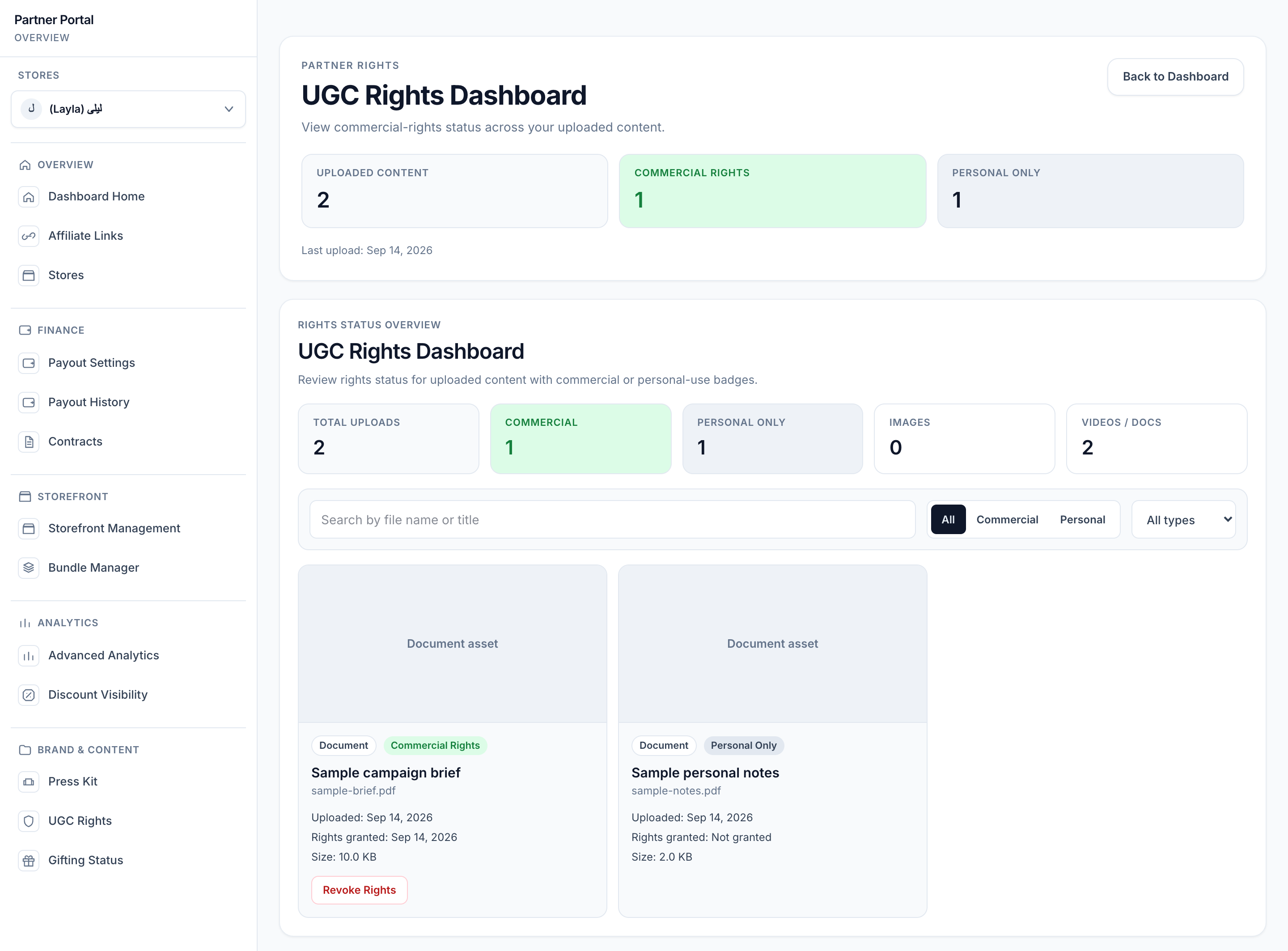
View full-size image: UGC rights filters and assets
ScreenshotStep 4
Local image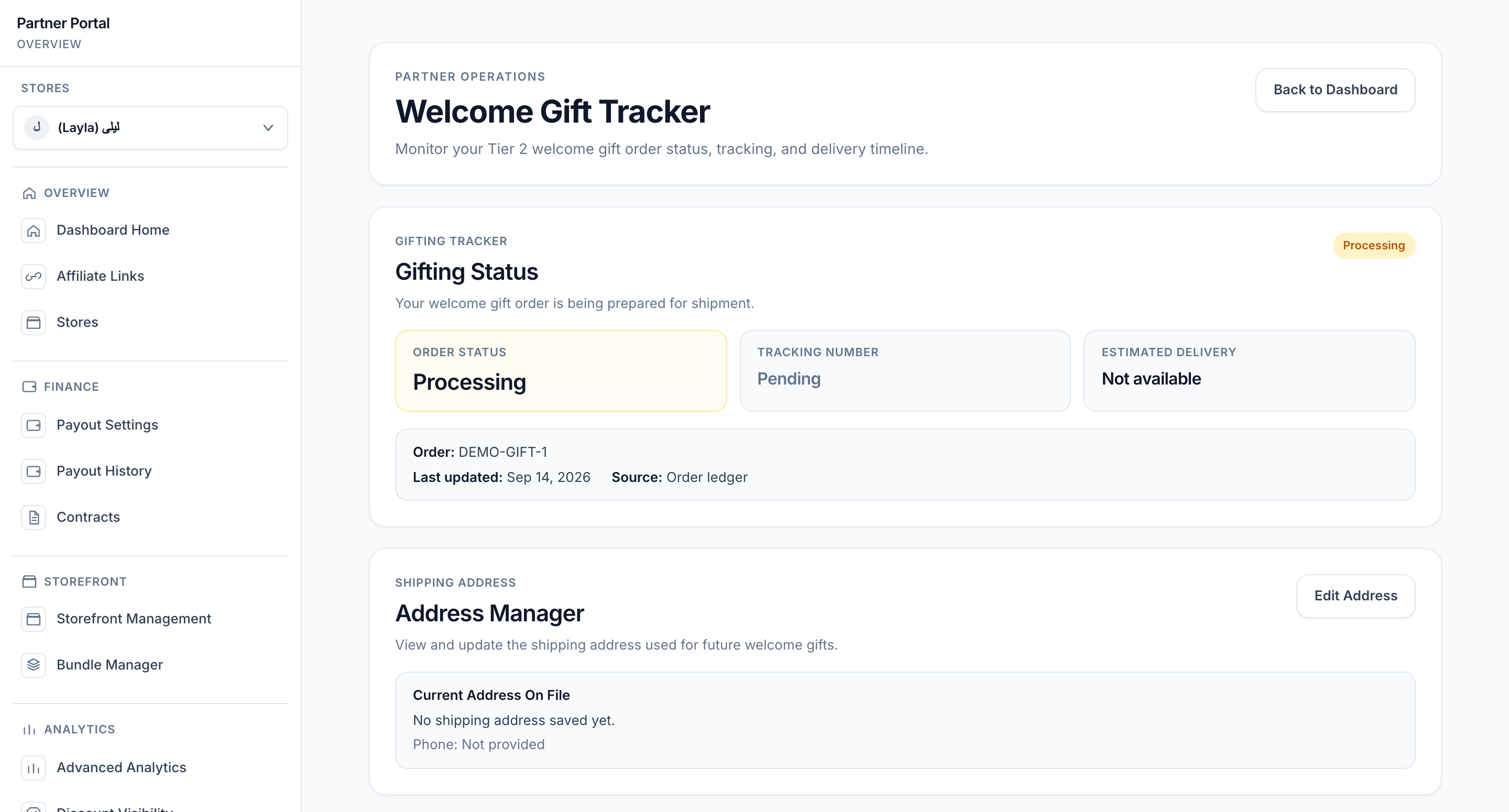
View full-size image: Gifting status and address overview
ScreenshotStep 5
Local image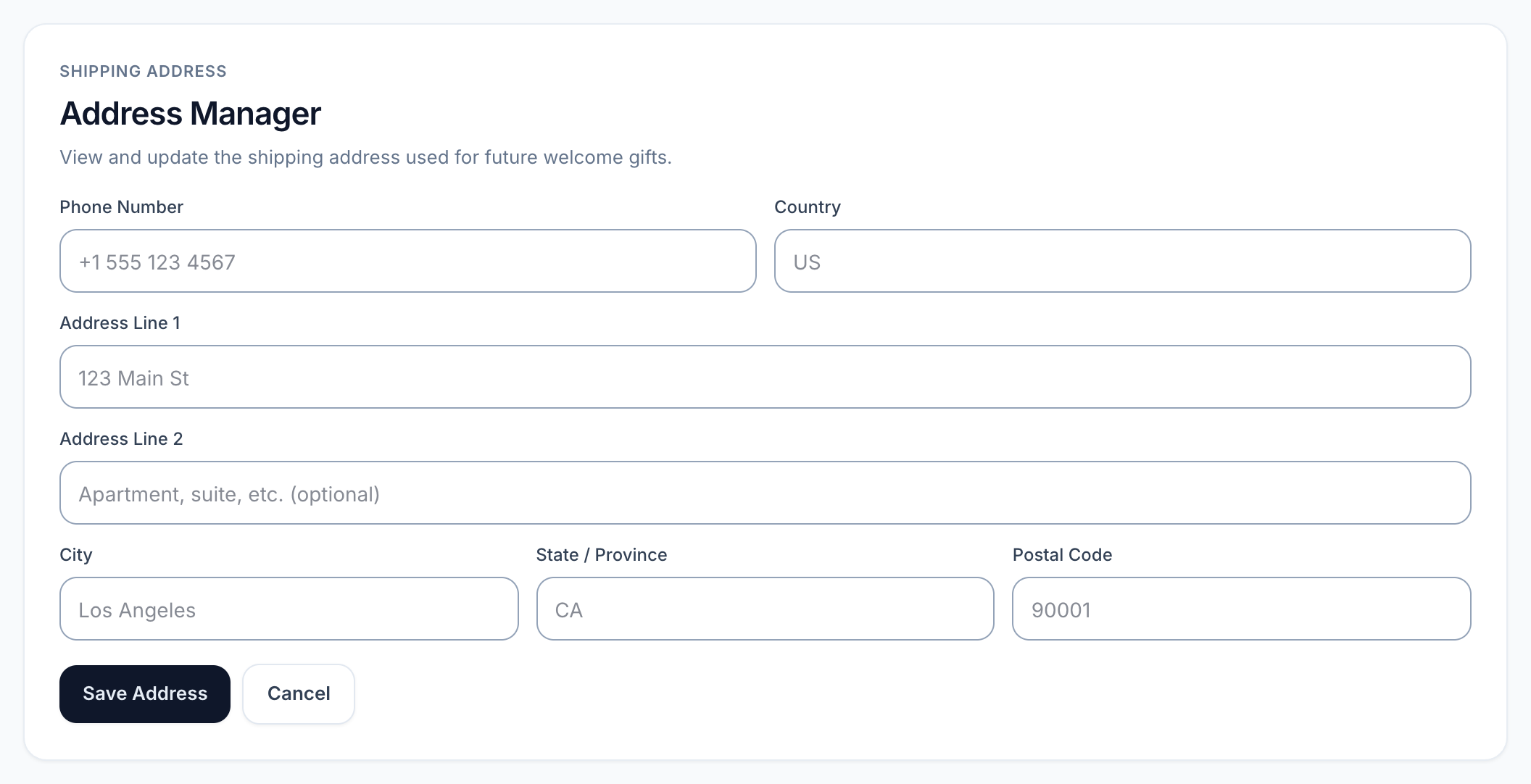
View full-size image: Shipping address fields
Settings explained
- Press Kit is the premium asset library for VIP work.
- Brand guidance helps keep content aligned with the merchant's messaging.
- Photos By SKU groups flat lays, product shots, lifestyle images, and detail close-ups into ZIP-ready product collections when the merchant has categorized the assets.
- UGC Rights shows whether commercial use permission is active for the content you uploaded.
- Revoke action removes commercial permission from content when that option is available.
- Gifting Status tracks the welcome gift and related shipping details.
- Shipping address manager stores the address used for future welcome gifts, not just the current shipment.
Example
A VIP Partner downloads one SKU-specific ZIP for a launch product, checks the rights status on a recently uploaded video, and then updates the shipping address before a welcome gift is sent.
Tips and limits
- Download only the files approved for the current campaign.
- If the SKU photo library looks incomplete, ask the merchant to review asset categories or product assignments in the asset library.
- Review rights status before allowing merchant reuse of your content.
- If the gift status looks stalled, check the shipping details first.
- If rights status changes, review the current asset list again before approving reuse.