
Payouts, alerts, and fraud review
See which page to open for payout review, payout history, manual payout records, merchant alerts, and fraud review.
Before you start
- Complete merchant payout settings before approving real payouts.
Where to find it
Merchant sidebar → Payouts, Merchant Alerts, Fraud Alerts
Steps
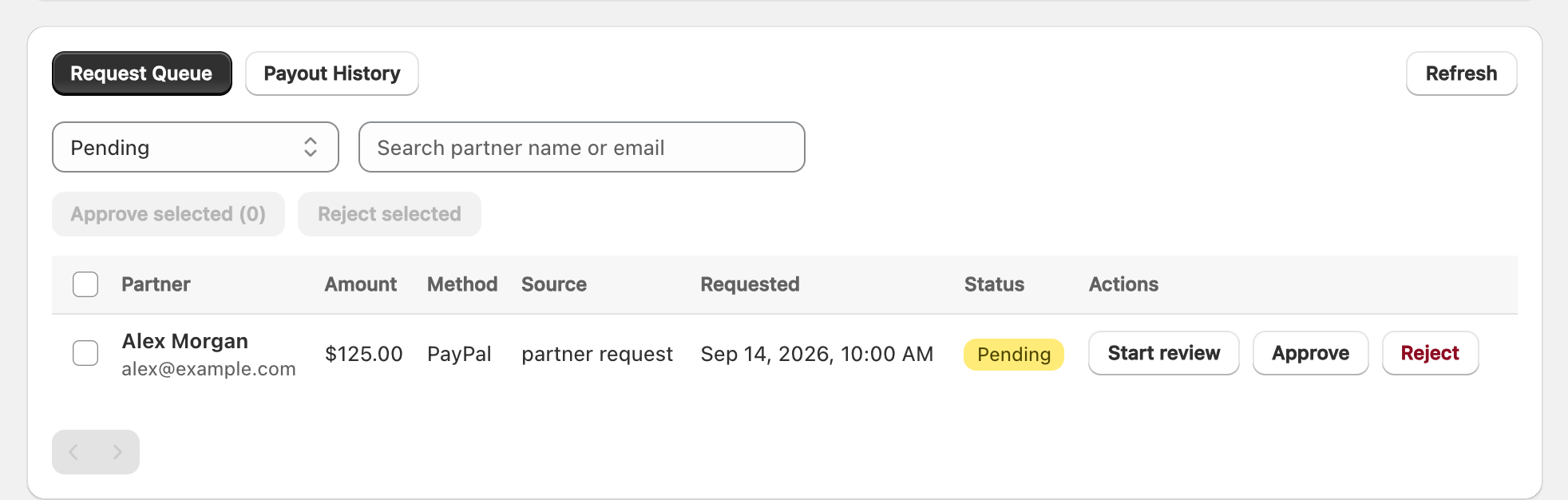
View full-size image: Payout request queue
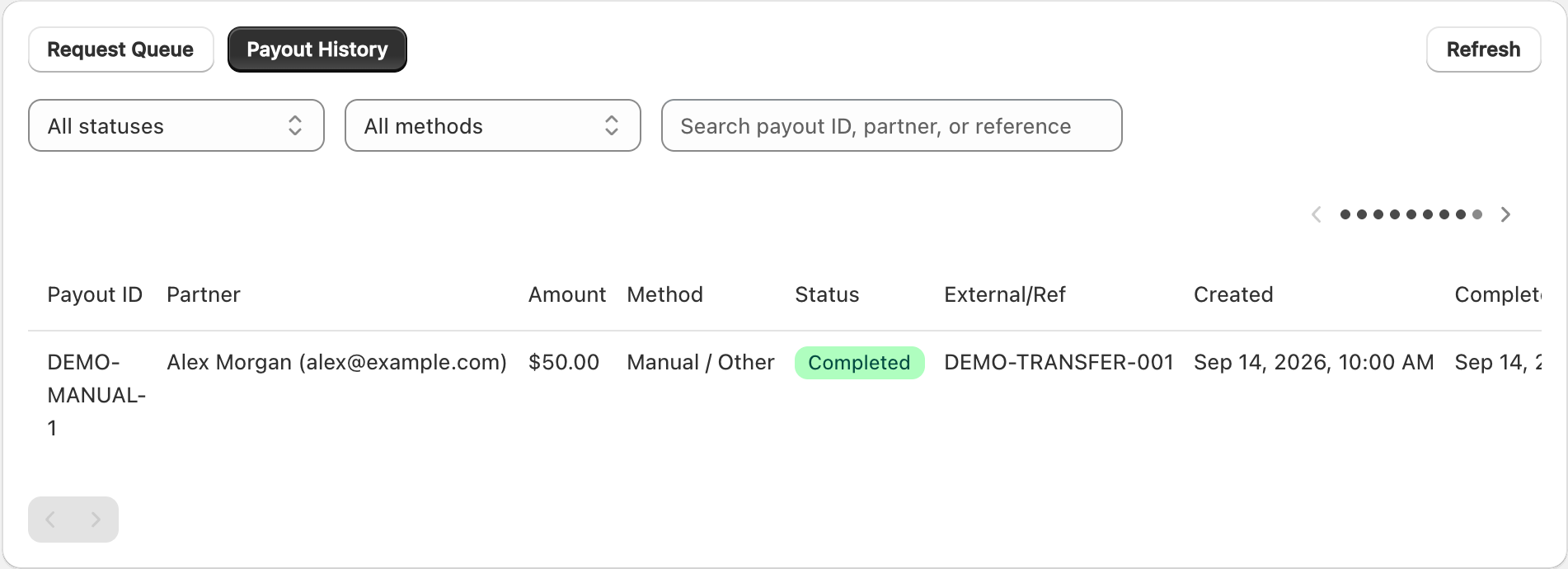
View full-size image: Manual payout history example
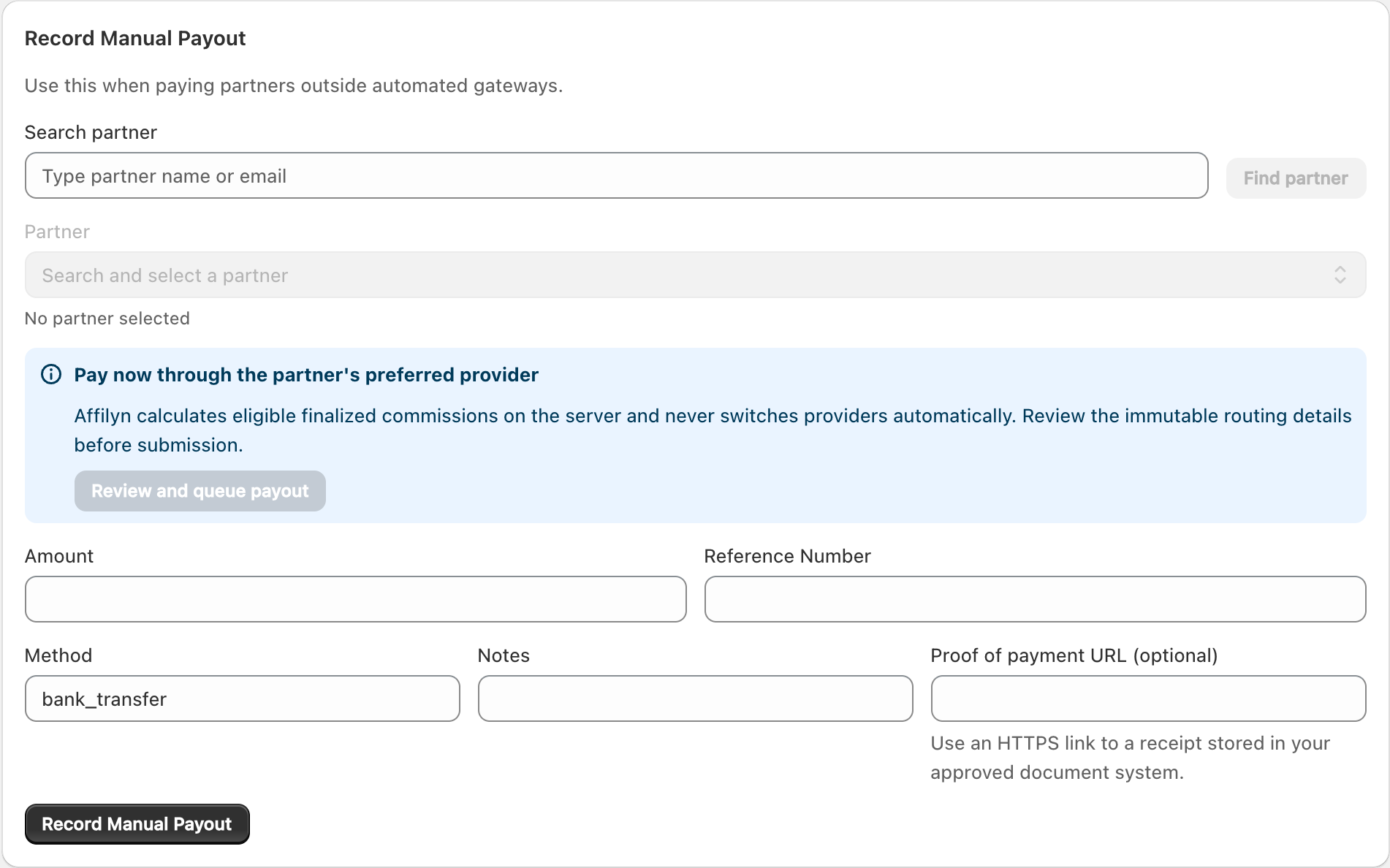
View full-size image: Record a manual payout
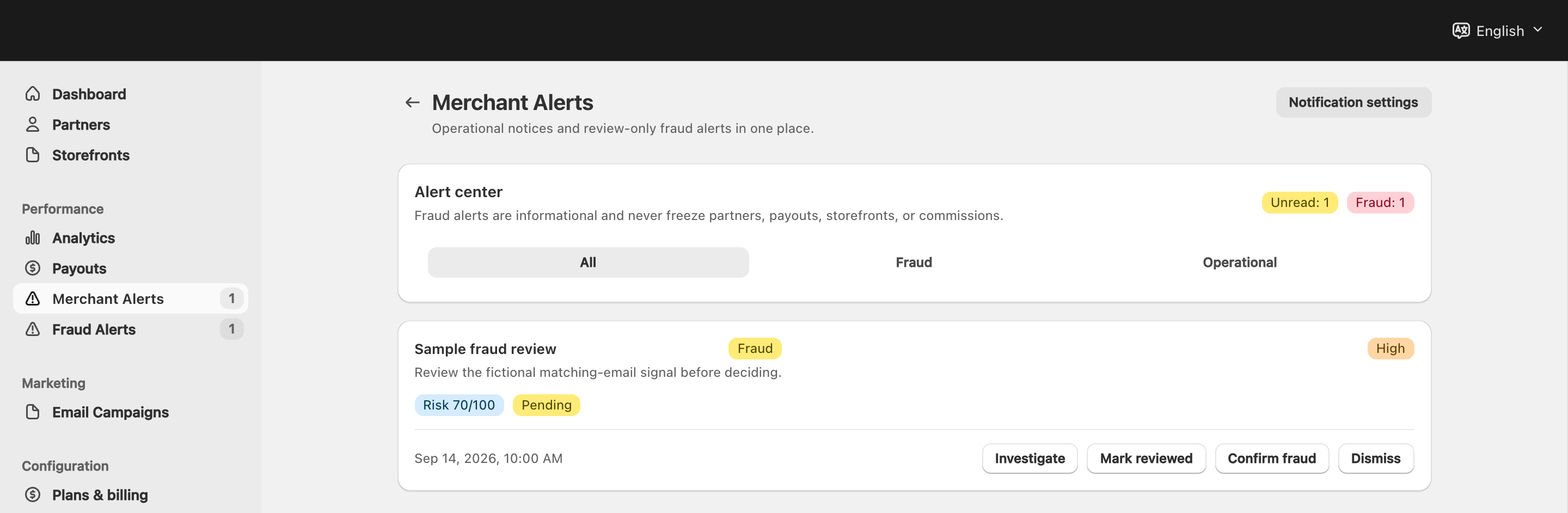
View full-size image: Merchant alert center
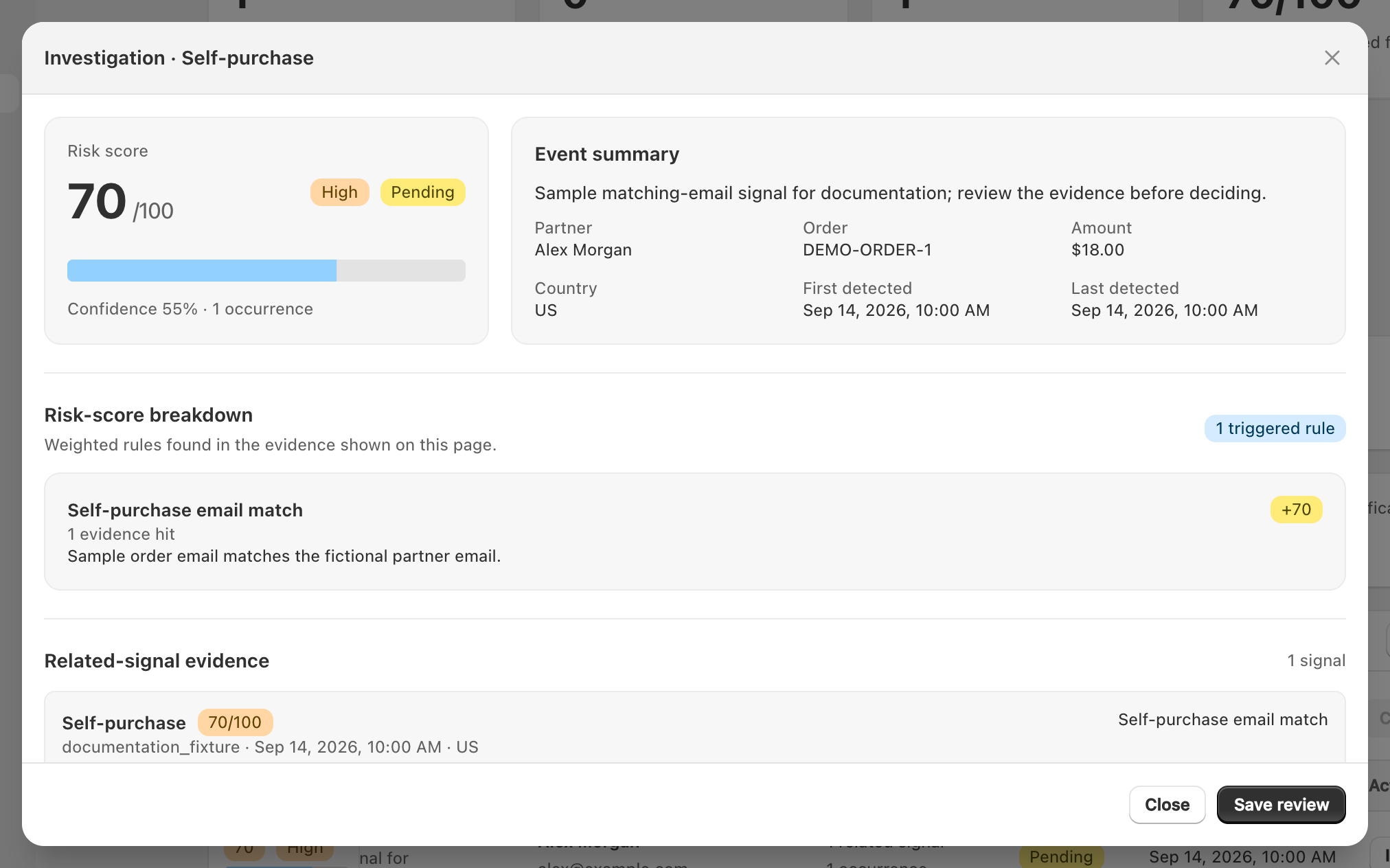
View full-size image: Fraud review modal
Step 1.
Open Payouts and review Request Queue.
Step 2.
Approve or decline requests after checking method readiness, request status, and any payout availability banners.
Step 3.
Switch to Payout History when you need processed payout records.
Step 4.
Use Record Manual Payout when you need to record a direct payout handled outside automated gateways.
Step 5.
Review Merchant Alerts for operational warnings and required actions.
Step 6.
Review Fraud Alerts for suspicious activity and record the final review decision.
Settings explained
- Request Queue is for partner-initiated payout requests that still need merchant action.
- Payout History is for completed or previously recorded payouts.
- Gateway banners warn you when automated approvals are blocked or when one automated payout method is temporarily unavailable for the current shop.
- Test provider status appears in test mode. Automated payout testing uses the configured provider sandbox and never shares credentials or records with live mode.
- Merchant alerts cover important account, workflow, or system warnings.
- Fraud alerts focus on suspicious orders or attribution behavior that may need action or dismissal.
Example
A merchant sees a pending PayPal request, confirms that the merchant gateway and partner destination are operational, reviews the fraud event tied to the same partner, and then decides whether the request should move forward or be declined.
Tips and limits
- This page is an overview. Use the detailed payout, merchant alerts, and fraud pages for exact workflows.
- Do not approve payout requests until payout settings show the merchant account is ready.
- Review fraud warnings before approving unusual payout activity.
- Add notes whenever you decline or manually process a payout so the history stays understandable later.