
PayPal payouts for merchants
Connect a merchant-owned PayPal Business REST app, validate Payouts and webhook access, enable partners, and operate automatic PayPal payouts safely.
When to use this page
- You want to fund partner payouts from the merchant's PayPal account.
- PayPal shows Action required, Restricted, or Webhook action required.
Before you start
- Use a PayPal Business account owned by the merchant.
- Have a PayPal REST application with Payouts access for the intended environment.
Success looks like
- PayPal is Connected, Payouts Ready, Webhook Operational, and enabled for partners.
- At least one partner has confirmed and preferred a PayPal destination.
- A controlled payout reaches a provider-confirmed final status.
Where to find it
Merchant dashboard → Payouts → Provider accounts → PayPal Business
Ownership and money flow
The merchant owns the PayPal Business account and REST application. Affilyn stores the authorization encrypted, calculates eligible commissions, submits an idempotent PayPal Payouts request, and reconciles the result.
Money flow: merchant PayPal balance → merchant PayPal REST authorization → PayPal payout batch/item → partner's confirmed PayPal email.
Affilyn never funds or holds the payout and never uses another merchant's or an Affilyn-owned PayPal account.
Prepare PayPal
- Sign in to the PayPal Developer Dashboard under the merchant account.
- Create or select a REST application.
- Choose Sandbox for testing or Live for production.
- Confirm the merchant account is eligible for PayPal Payouts.
- Confirm the authorization includes the Payouts scope and webhook-management scope.
- Copy the Client ID and Client Secret for the same environment.
- Ensure the PayPal balance/funding source can cover the payout and fees.
Sandbox and Live credentials are different and must not be mixed.
Connect PayPal in Affilyn
The screenshots below use sample data and the Sandbox environment. Match the environment and readiness states to your own store.
- Open Payouts → Provider accounts → PayPal Business.
- Choose Connect PayPal.
- Select Sandbox or Live to match Affilyn's current payment runtime.
- Enter the Client ID and Client Secret in the secure write-only form.
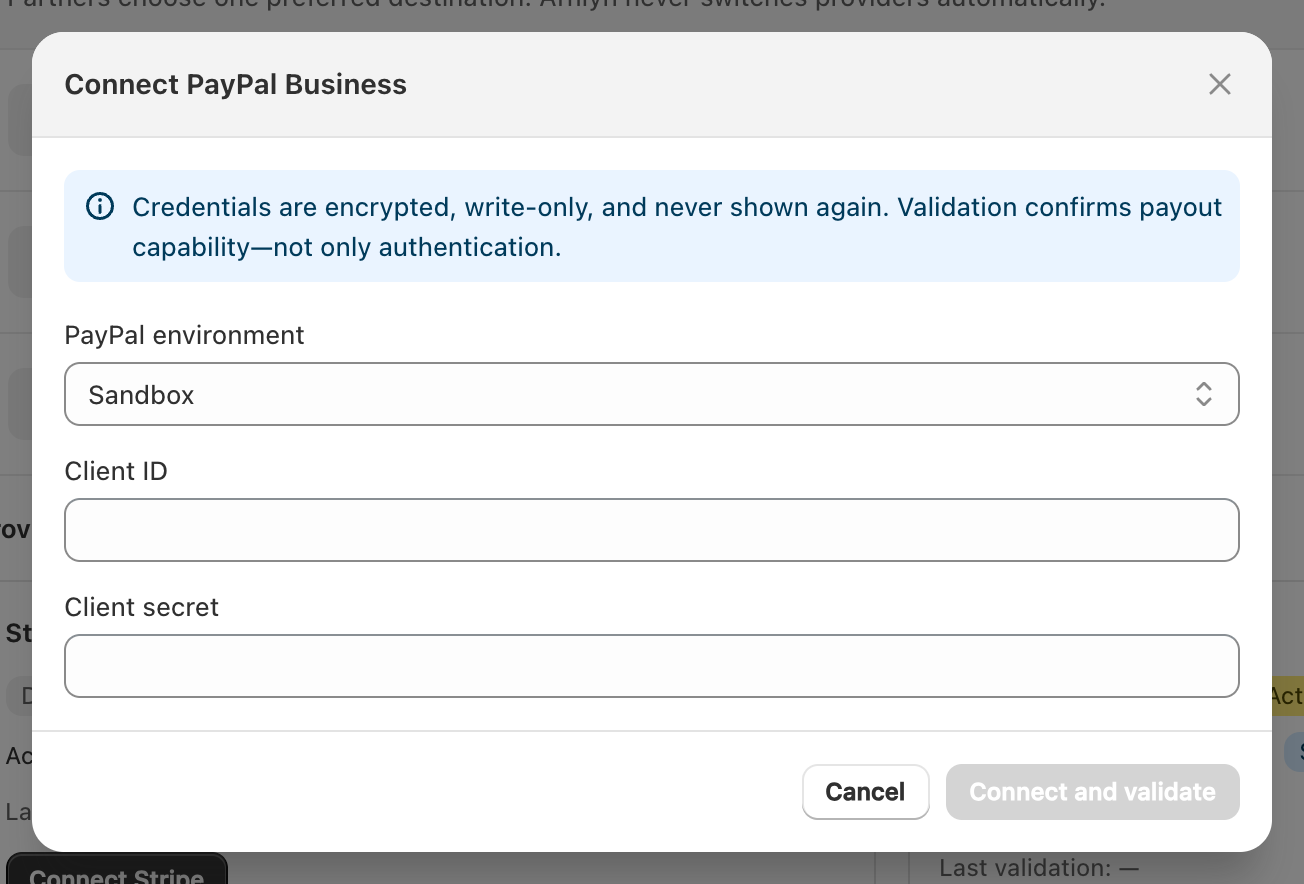
View full-size image: Connect PayPal Business
- Submit. Affilyn requests OAuth authorization and verifies the required scopes.
- Affilyn looks for the merchant webhook URL and creates it when missing.
- Confirm the card shows:
- Connected
- Payouts: Ready
- Webhook: Operational
- Correct Sandbox/Live mode
- Turn on Make PayPal available to partners.
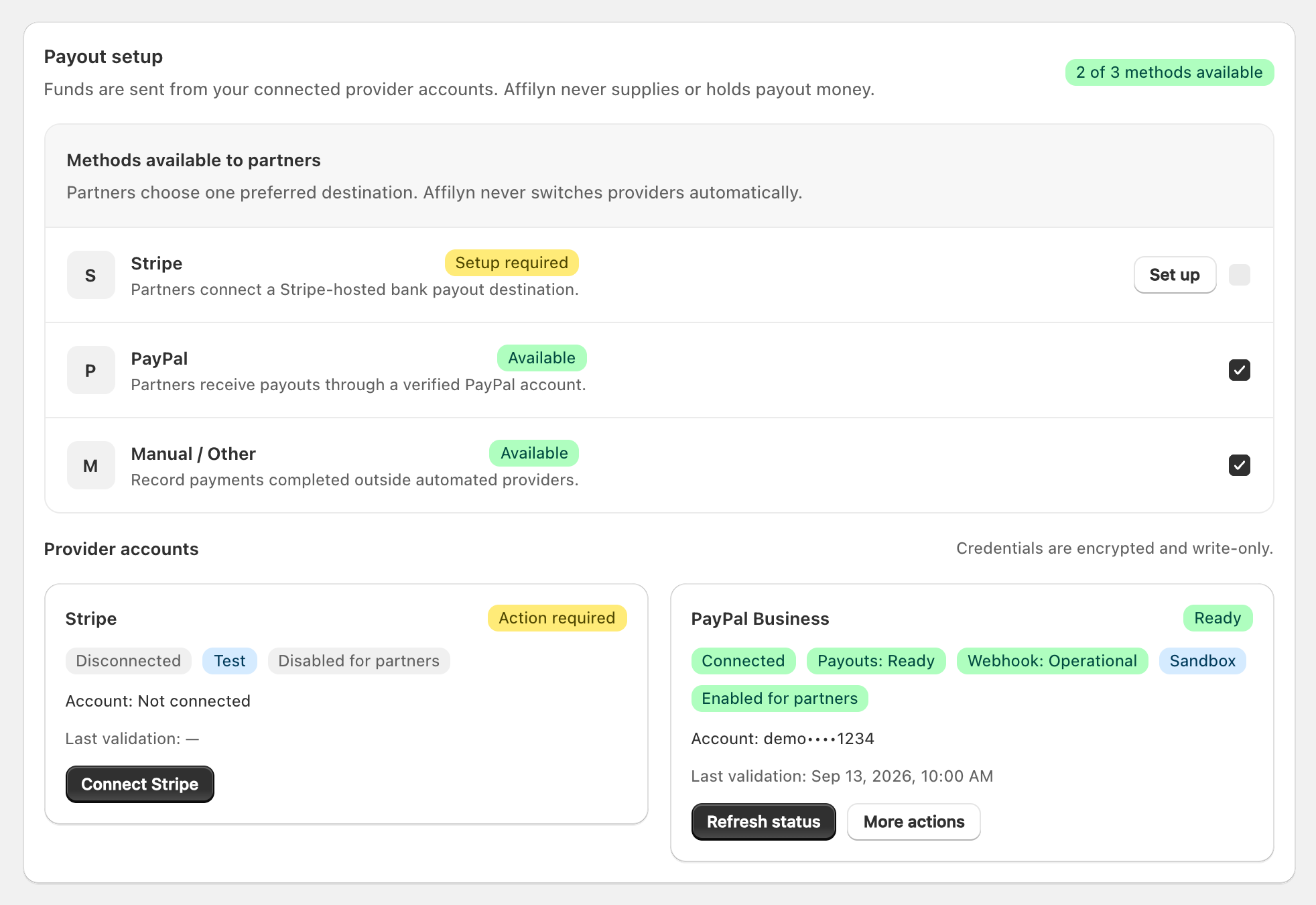
View full-size image: PayPal readiness and partner availability
The Webhook ID is created/returned by PayPal and stored with the merchant's encrypted credential record. Merchants do not paste an Affilyn-global PayPal Webhook ID into the payout preflight.
Partner setup and confirmation
PayPal being enabled does not configure partners automatically. Each partner:
- Selects the correct store.
- Saves the PayPal payout email and confirms ownership.
- Opens Affilyn's one-time confirmation email within 24 hours.
- Confirms the destination.
- Selects PayPal as Preferred when it should receive future payouts.
Affilyn stores only encrypted and hashed destination references plus a masked email for display. An unconfirmed email cannot be preferred or paid.
PayPal execution
Partner request approval, Pay now, or a scheduled payout creates a durable, idempotent job. Affilyn uses the merchant credential version and the partner's snapshotted confirmed destination to create a PayPal batch/item. Provider acceptance changes the payout to processing; signed webhook events and reconciliation determine paid, failed, returned, or unclaimed state.
Do not treat batch creation or merchant approval as payment confirmation.
Unclaimed payouts
PayPal can report an item as unclaimed when the destination cannot yet receive or has not accepted it. Review the masked email with the partner. When appropriate, choose Cancel unclaimed. PayPal returns the funds, and after Affilyn verifies the return it releases the associated commissions.
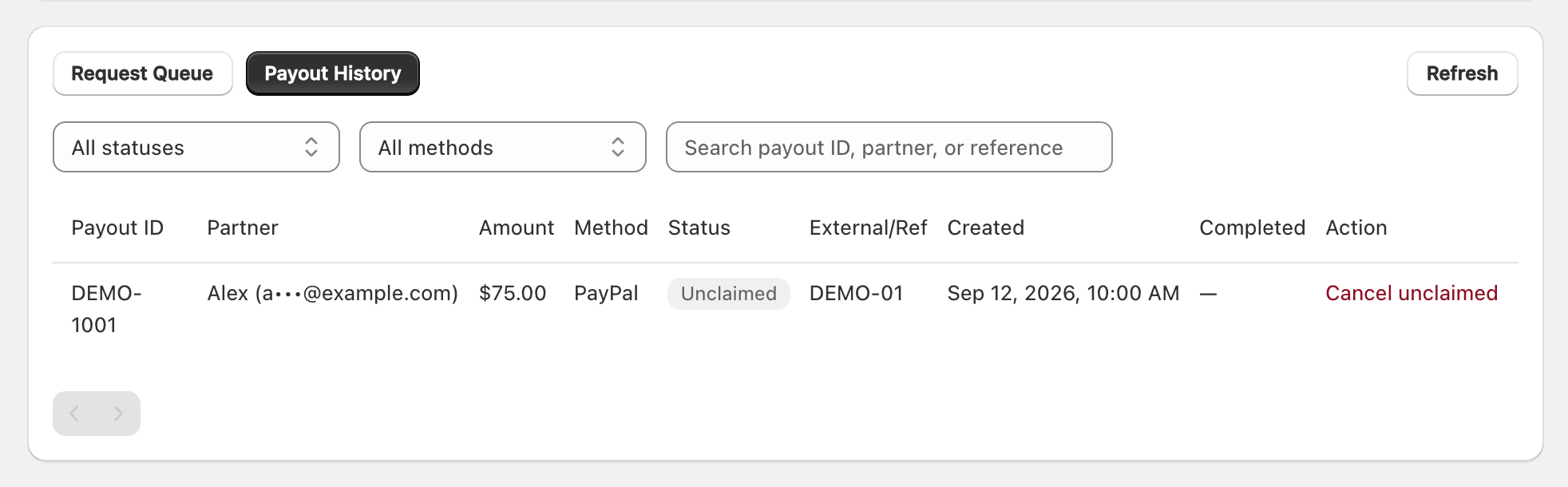
View full-size image: Find an unclaimed PayPal payout
Rotate, refresh, and disconnect
- Refresh status revalidates authorization, scopes, capabilities, and webhook state.
- Rotate credentials creates a new encrypted credential version; old payout snapshots remain auditable.
- Disconnect disables future PayPal use but is blocked while PayPal requests/payouts are active.
- Never paste PayPal secrets into support messages, screenshots, logs, or documentation.
Troubleshooting
Payouts: Action required
The REST application/account lacks Payouts access or the credential is invalid. Resolve access in PayPal, then reconnect or refresh.
Webhook: Action required
Webhook-management permission is missing or registration failed. Fix the REST application permission and refresh so Affilyn can find/create the webhook.
Partner cannot save PayPal
PayPal must be connected, Payouts Ready, Webhook Operational, and enabled for partners in the same store/runtime.
Partner did not receive confirmation
Confirm the partner profile email, check spam, then save the PayPal destination again to issue a new 24-hour one-time link.
Processing outcome is unclear
Use provider reference, webhook history, and reconciliation. Never submit a second payout until the first outcome is authoritative.