
Fraud alerts
Review suspicious activity, record notes, and decide the final outcome from the fraud review queue.
Before you start
- Review payout and order activity before making a final fraud decision.
Where to find it
Merchant sidebar → Fraud Alerts
Steps
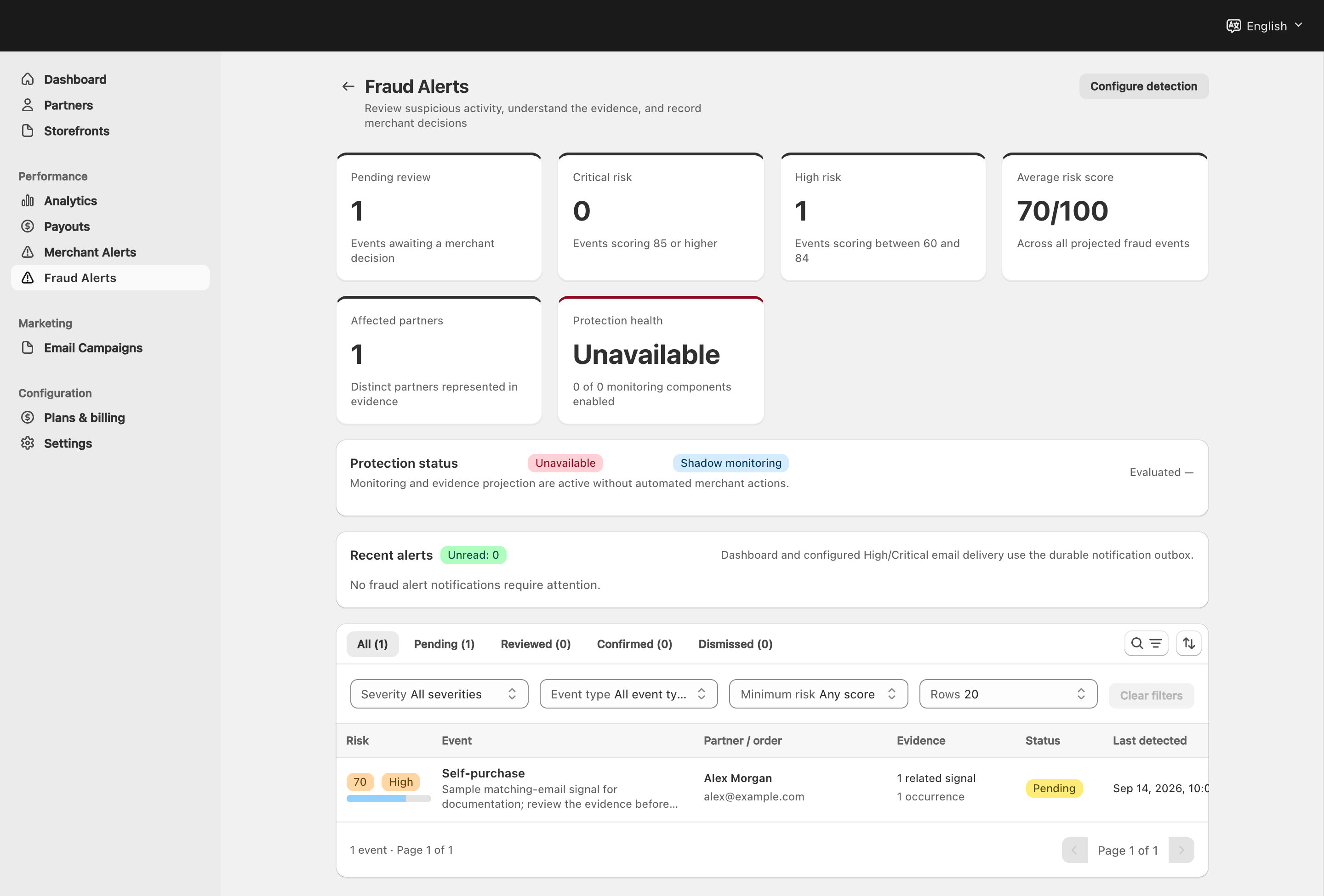
View full-size image: Fraud-event list and filters
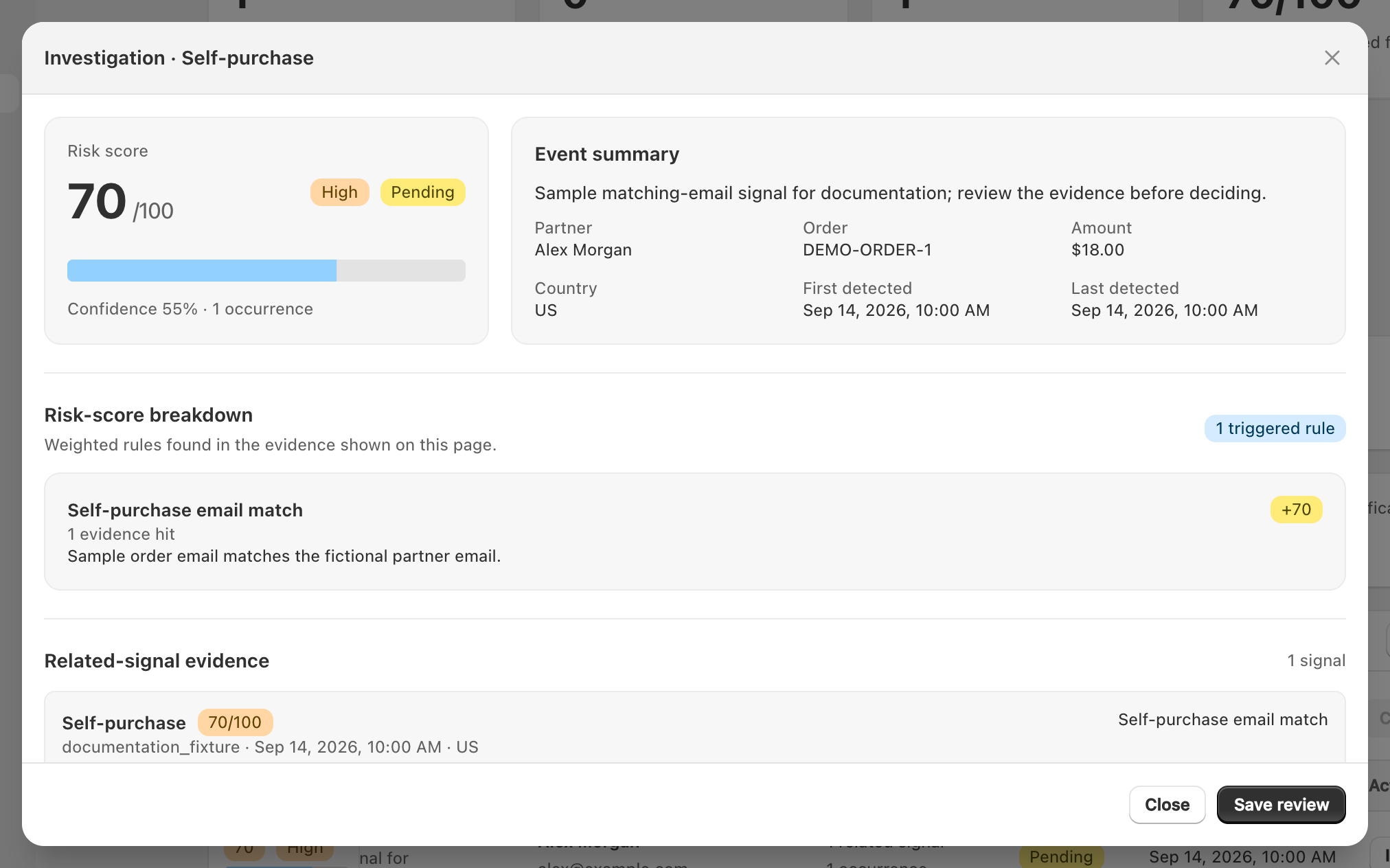
View full-size image: Fraud review detail
Step 1.
Open Fraud Alerts to review flagged suspicious activity.
Step 2.
Start with the newest or most serious item first.
Step 3.
Open the flagged event to review the reason, related partner, and activity details.
Step 4.
Add notes and record the final outcome when the review is complete.
Step 5.
Return to payouts or partner management if a fraud decision affects the next action you planned to take.
Settings explained
- Flagged reason explains why the activity was marked for review.
- Review notes give the merchant team a record of what was checked.
- Final outcome shows whether the case was cleared, dismissed, or still needs action.
- Related partner context helps connect the fraud review to payouts or account management when needed.
Example
A merchant receives a fraud alert tied to a payout request, opens the flagged event, records the review notes, and delays the payout until the suspicious activity has been resolved.
Tips and limits
- Review the fraud case before approving the related payout.
- Add notes even when the event is cleared so the decision is easy to understand later.
- If alerts appear too often, review the fraud prevention settings and thresholds.