
PayPal payouts for partners
Confirm a store-scoped PayPal destination, make it preferred, request eligible commissions, and track PayPal settlement.
Before you start
- The merchant has made PayPal operational and enabled it for this store.
- You control the PayPal email and can access your Affilyn partner email inbox.
Where to find it
Partner Portal → select a store → Payout Settings
Connect and confirm PayPal
The screenshots use fictional stores, masked sample destinations, and sample payments. Your store's available methods and payout history may differ.
- Select the store that will pay you.
- Open Payout Settings → Connected payout destinations. PayPal shows Setup required when enabled but not yet connected; Unavailable means the merchant must enable it first.
- Enter the email belonging to your PayPal account.
- Check the ownership confirmation and choose Save (or Update for an existing destination).
- Affilyn sends a confirmation message to your partner profile email.
- Open the newest message and choose Confirm PayPal email within 24 hours.
- Return to the selected store and check that PayPal shows Connected or Preferred, with no pending-confirmation instruction.
- Choose Set as preferred if PayPal should receive future/scheduled payouts and is not already marked Preferred.
The confirmation link is one-time. If it is expired, already consumed, or was created for an older destination, save the current PayPal email again and use the newest link.
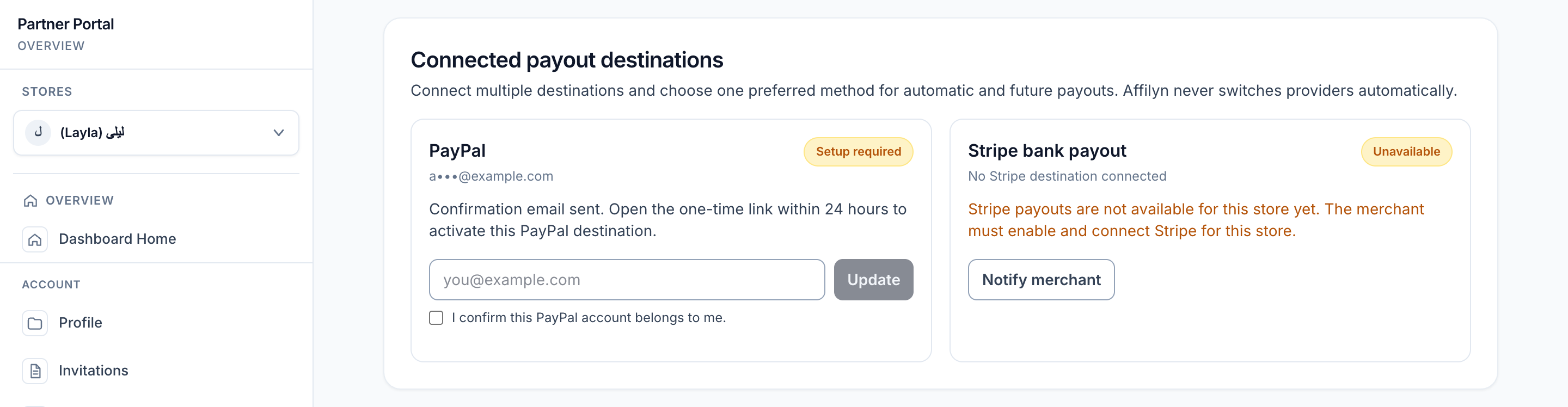
View full-size image: PayPal confirmation pending
What confirmation means
Confirmation proves that the payout destination was deliberately added through your Affilyn account. It allows Affilyn to select the encrypted PayPal email for this store. It does not guarantee that PayPal will accept every payout; your PayPal account must still be able to receive the store's payout currency and comply with PayPal rules.
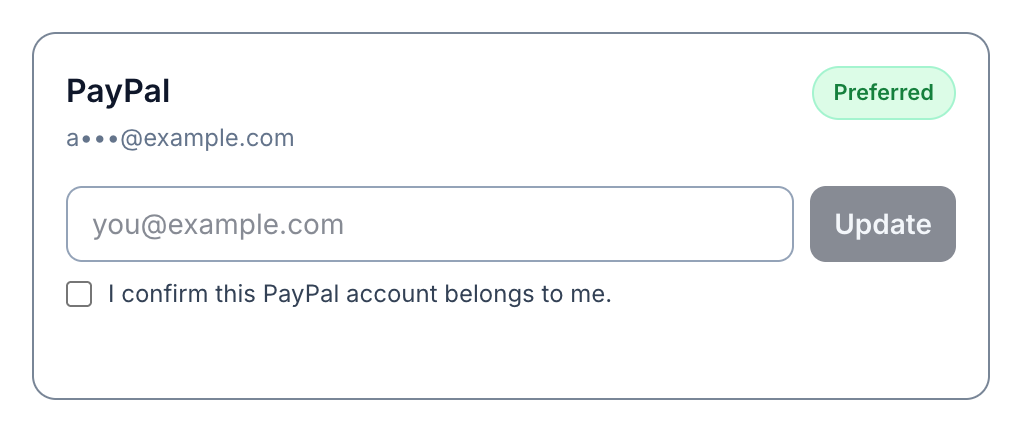
View full-size image: Confirmed PayPal destination selected as preferred
Request or receive automatically
For a request, meet the threshold, wait through the holding period, confirm no other request is active, review the selected PayPal destination, and choose Request payout. Affilyn reserves the exact eligible commissions while the merchant reviews and processes the request.
For weekly/monthly automatic payouts, keep PayPal confirmed and preferred. At the scheduled UTC run, Affilyn skips you safely if PayPal or another eligibility rule is not ready. It never switches to Stripe automatically.
Statuses specific to PayPal
processing: PayPal accepted the payout operation; final outcome is pending.unclaimed: the recipient has not claimed/cannot yet receive the PayPal item.paid: PayPal success was verified by webhook or reconciliation.returnedorreversed: PayPal returned funds; the merchant and Affilyn update the ledger.failed: PayPal reported definitive failure.
If a payout is unclaimed, confirm the masked destination with the merchant. The merchant may cancel the unclaimed item so PayPal returns the funds and Affilyn can make the commissions available again.
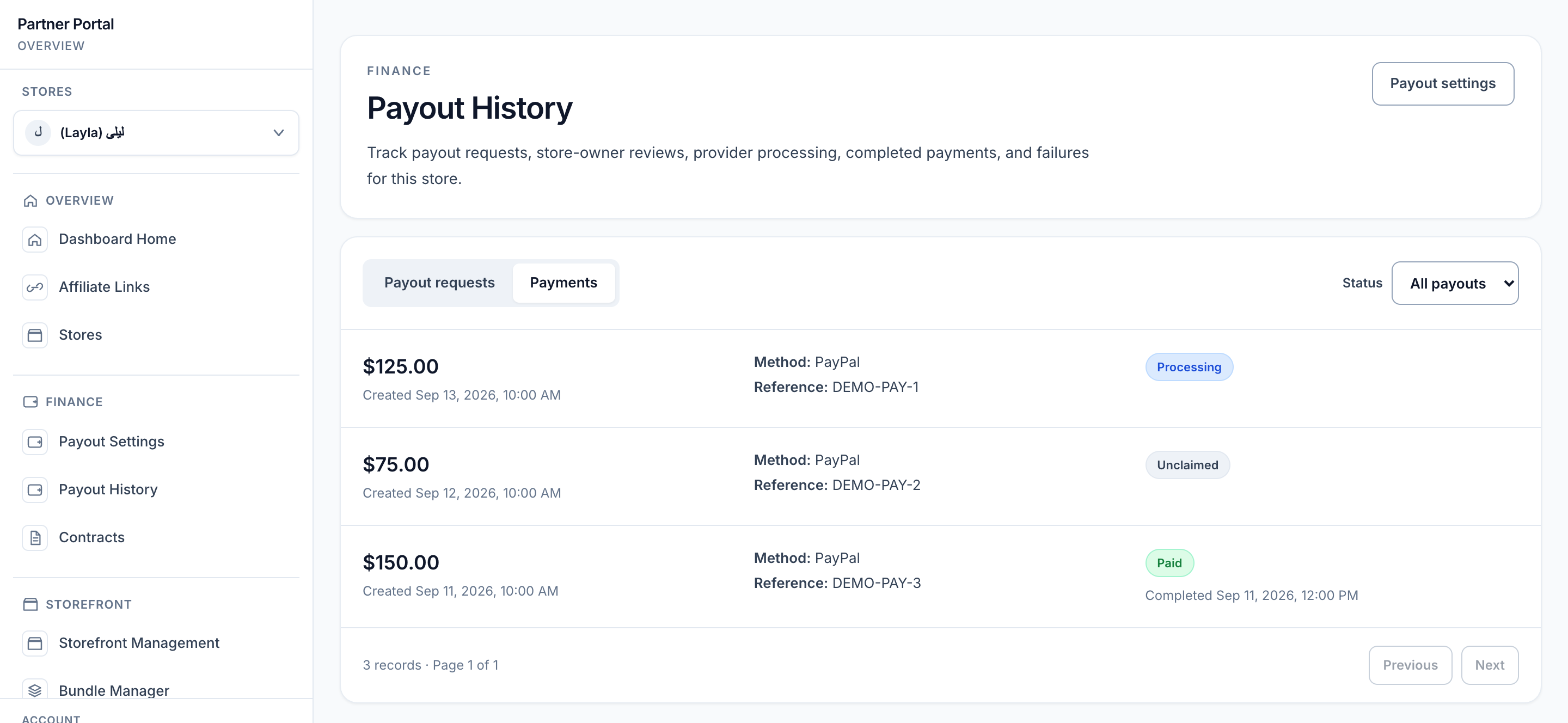
View full-size image: Track PayPal payment outcomes
Safety
- Never share a PayPal password, Client Secret, or security code with Affilyn or the merchant.
- The merchant needs only your confirmed payout email; merchant API credentials belong only to the merchant.
- Do not request a duplicate while a payout is pending, approved, queued, processing, or outcome unknown.
- A merchant approval message is not final payment confirmation; wait for
paidin history.