
Storefronts and builder access
Review VIP storefronts, find the right storefront quickly, and open the builder when merchant oversight is needed.
Before you start
- Have at least one VIP Partner storefront in the program.
Where to find it
Merchant sidebar → Storefronts
Steps

View full-size image: Storefront list
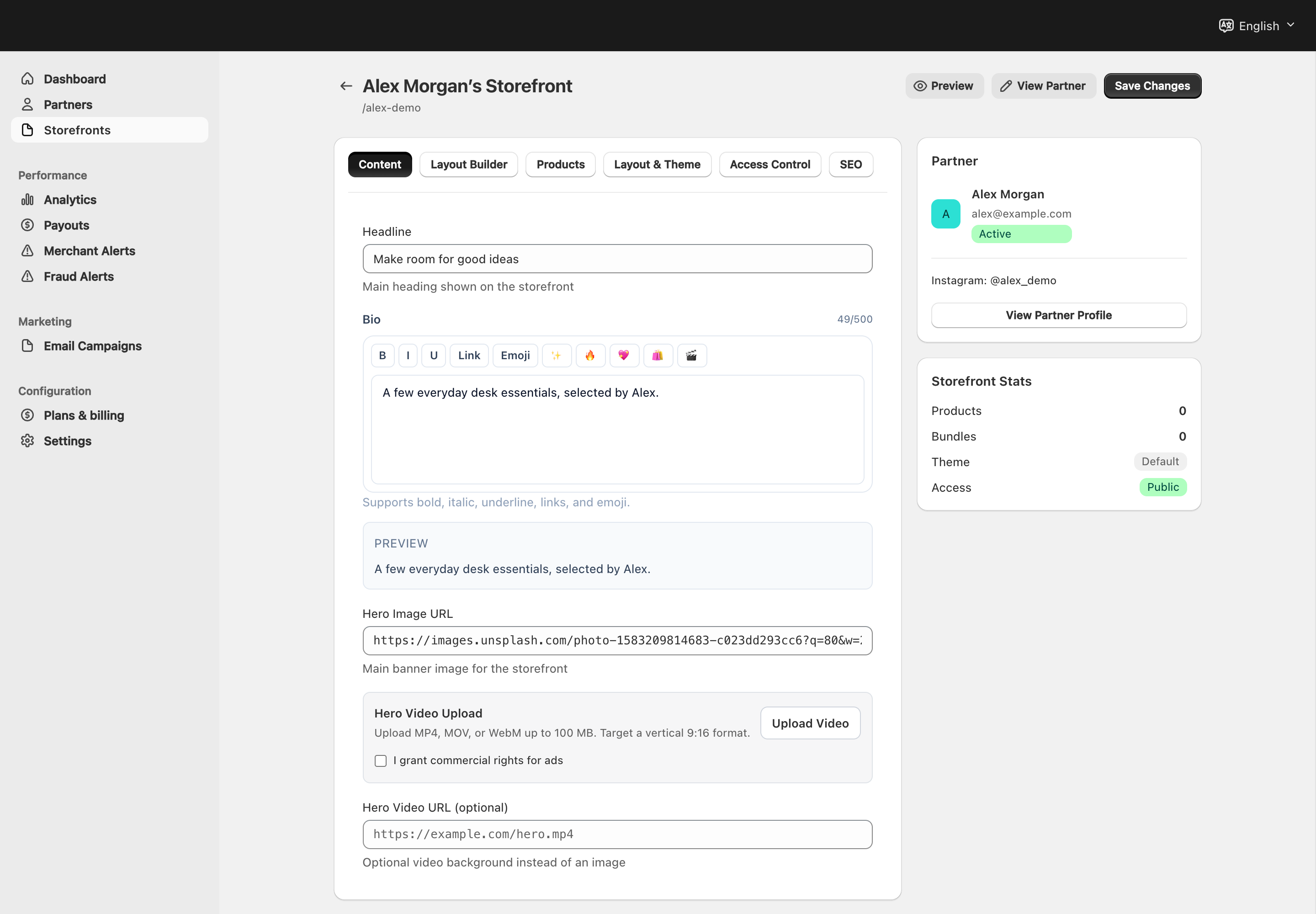
View full-size image: Merchant storefront builder access
Step 1.
Open Storefronts to review all VIP storefronts connected to the program.
Step 2.
Use search or list filters to find the storefront you need.
Step 3.
Review the storefront status, partner name, and access mode before making changes.
Step 4.
Open the storefront builder when you need to review content, layout, products, or visibility settings.
Step 5.
Confirm the storefront looks correct in preview before considering the review complete.
Settings explained
- Storefront list gives the merchant a store-wide view of VIP storefront coverage.
- Access mode helps you confirm whether the storefront is public or protected.
- Builder access allows merchant review when a storefront needs approval, support, or cleanup.
- Preview is the safest way to check shopper-facing changes before sharing a storefront.
Example
A merchant sees that a VIP storefront is still private, opens the builder, confirms that the hero section and featured products are ready, and then asks the partner to publish the storefront for the next campaign.
Tips and limits
- Check access mode before assuming a storefront is missing.
- Use preview after content or discount changes so the shopper-facing result matches the plan.
- Merchant oversight is most helpful before a launch, during a campaign refresh, or when a storefront needs troubleshooting.