
Storefronts, analytics, and campaigns
See which page to open for storefront review, analytics, or email campaigns.
Before you start
- Have active partners or storefronts to review.
Where to find it
Merchant sidebar → Storefronts, Analytics, Marketing
Steps

View full-size image: Storefront list
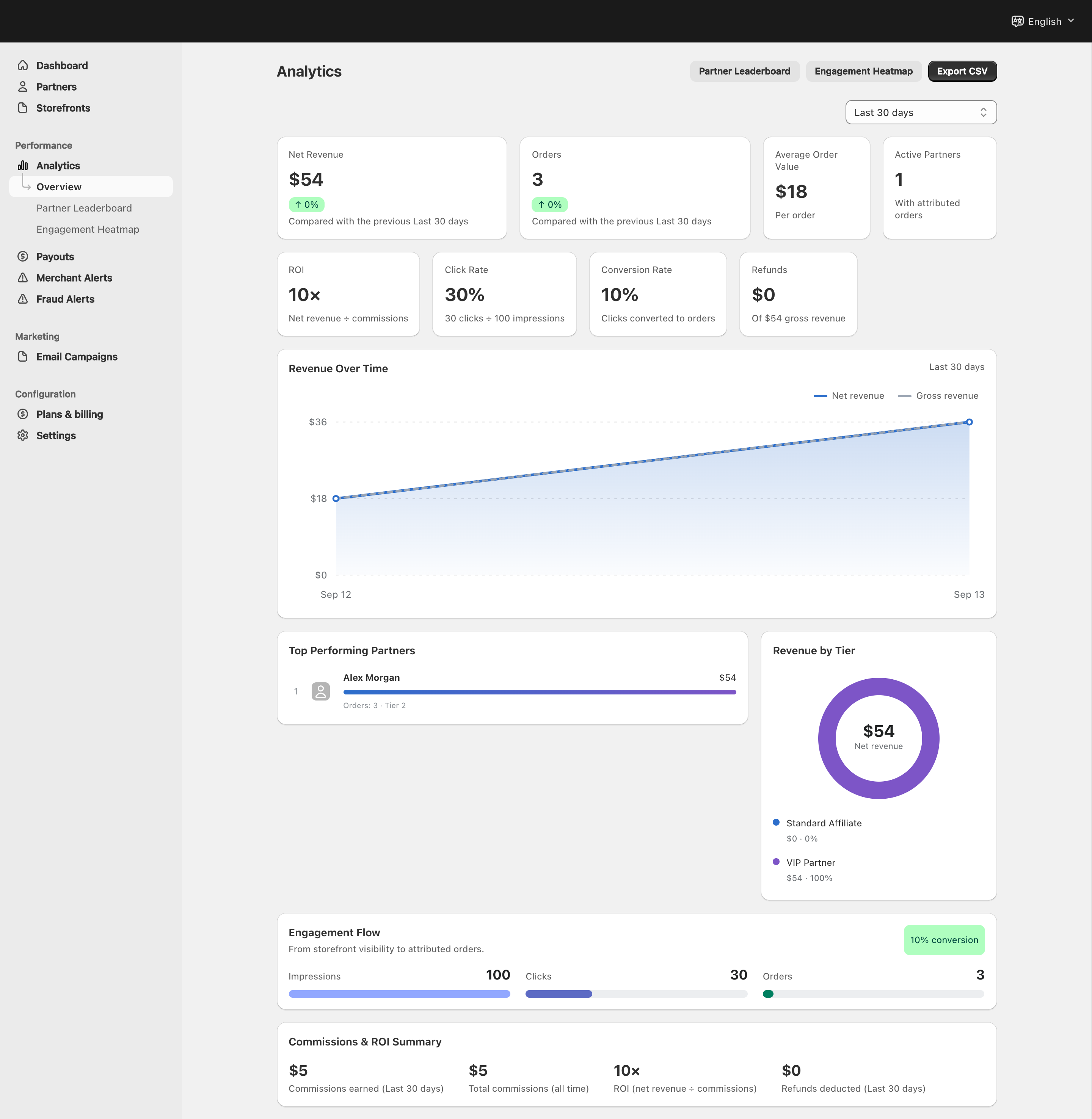
View full-size image: Merchant analytics views
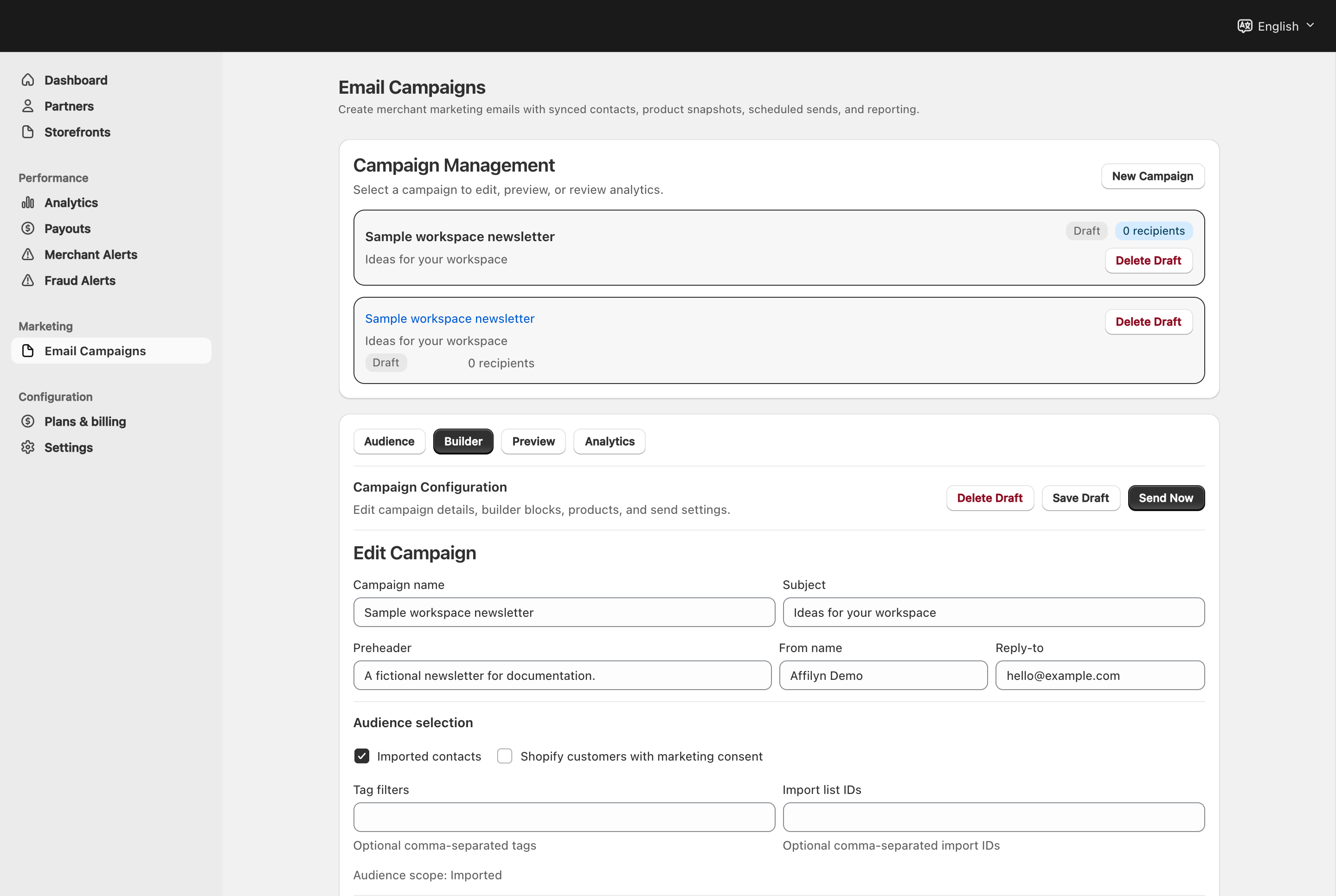
View full-size image: Campaign details and audience
Step 1.
Open Storefronts to review partner storefront coverage and access type.
Step 2.
Open Analytics → Overview for performance totals and export actions.
Step 3.
Use Partner Leaderboard to compare partners by performance.
Step 4.
Use Engagement Heatmap to spot stronger or weaker engagement patterns.
Step 5.
Open Marketing → Email Campaigns to build, preview, schedule, and analyze campaign sends.
Settings explained
- Storefront list shows which VIP storefronts are public or private.
- Overview analytics focus on merchant-level performance across revenue, orders, ROI, click rate, and conversion rate.
- Leaderboard helps compare partner performance.
- Campaign builder combines audience selection, message building, preview, send timing, and results review in one workflow.
Example
A merchant notices a drop in click rate, checks the engagement heatmap, identifies low-performing partner segments, then schedules a reactivation campaign using the email campaign builder.
Tips and limits
- This page is an overview. Use the detailed storefront, analytics, and email campaign pages for exact workflows.
- Use analytics before creating campaigns so your message and audience match the actual performance problem.
- Keep storefront visibility and discount rules aligned with the campaign promise.
- Campaigns work best when contacts and sync settings are already clean.