
VIP PartnerGuide
Advanced Analytics
Review real-time storefront performance, commission breakdowns, deep link results, and other VIP reporting in one place.
Last reviewed: Sep 14, 2026UI path: Partner dashboard → active VIP store → Analytics → Advanced Analytics
Before you start
- Have VIP Partner access in the current store.
- Have storefront or campaign activity to review.
Where to find it
Partner dashboard → active VIP store → Analytics → Advanced Analytics
Steps
ScreenshotSteps 1–3
Local image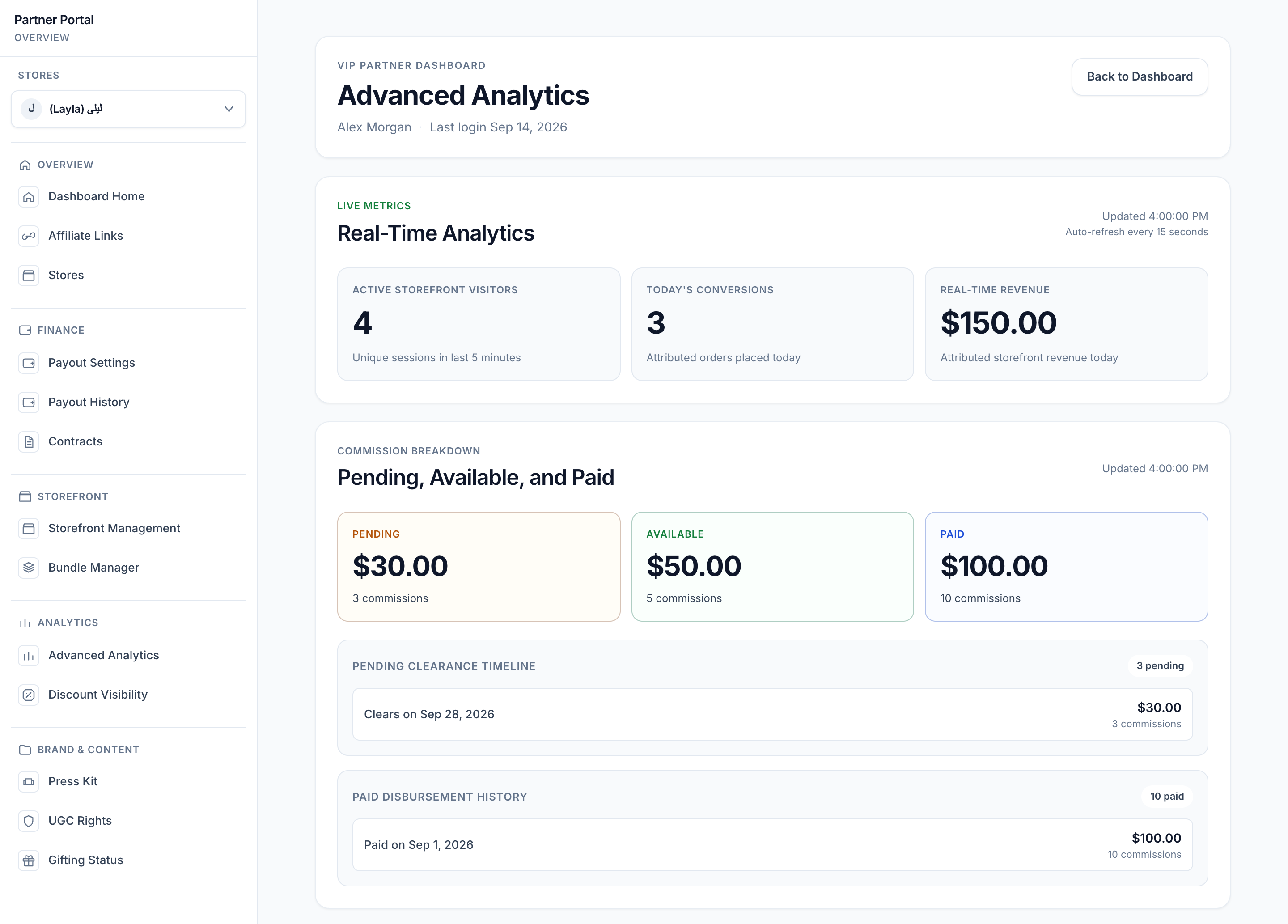
View full-size image: Analytics and commission overview
- Select the VIP store you want to analyze, then open Advanced Analytics.
- Review the live or current performance summary first.
- Check the commission breakdown to understand what is pending, available, or already paid.
- Review deep link performance to see which shared links are working best.
- Use the engagement summary and refund-adjusted earnings views to decide what to improve next.
ScreenshotStep 4
Local image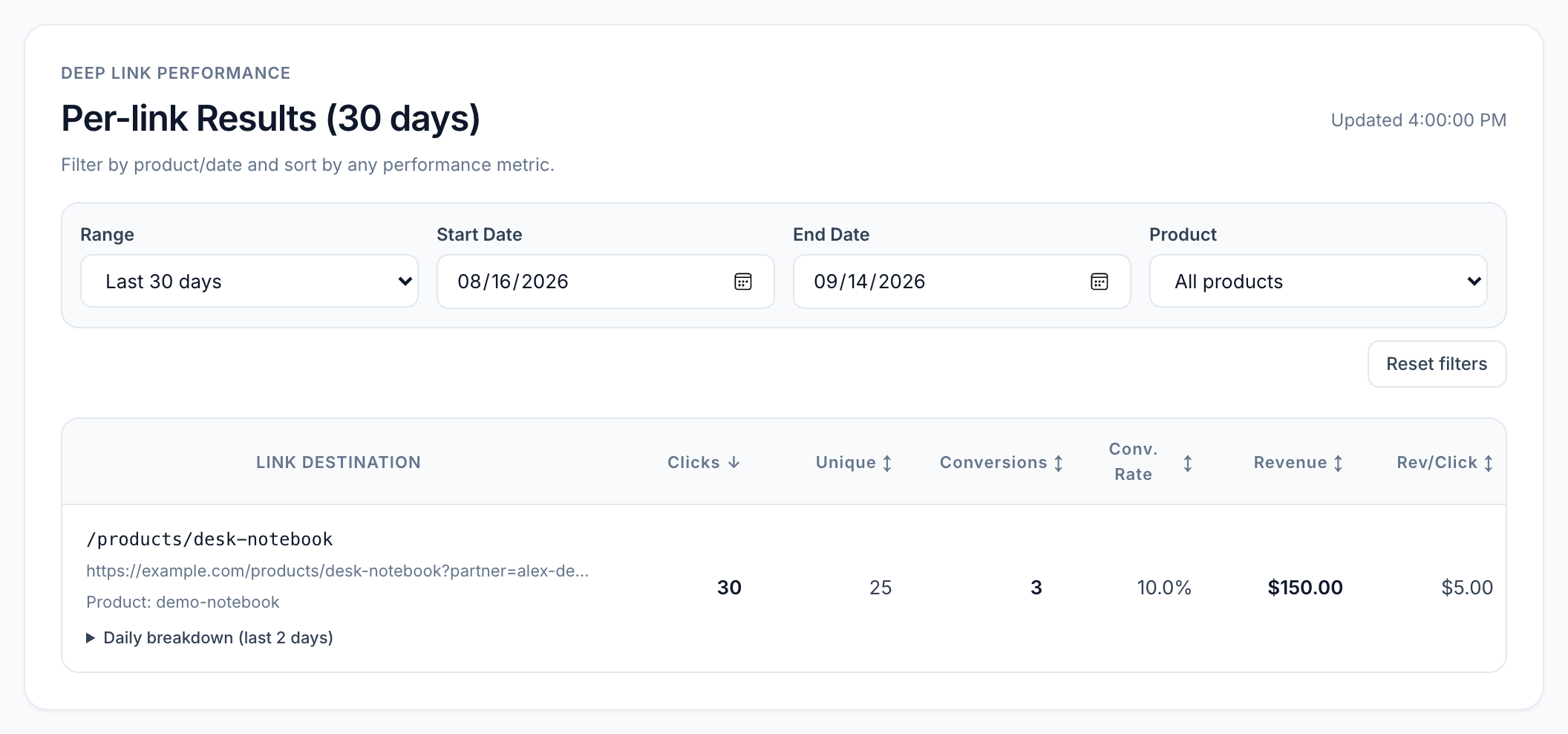
View full-size image: Deep link filters and results
ScreenshotStep 5
Local image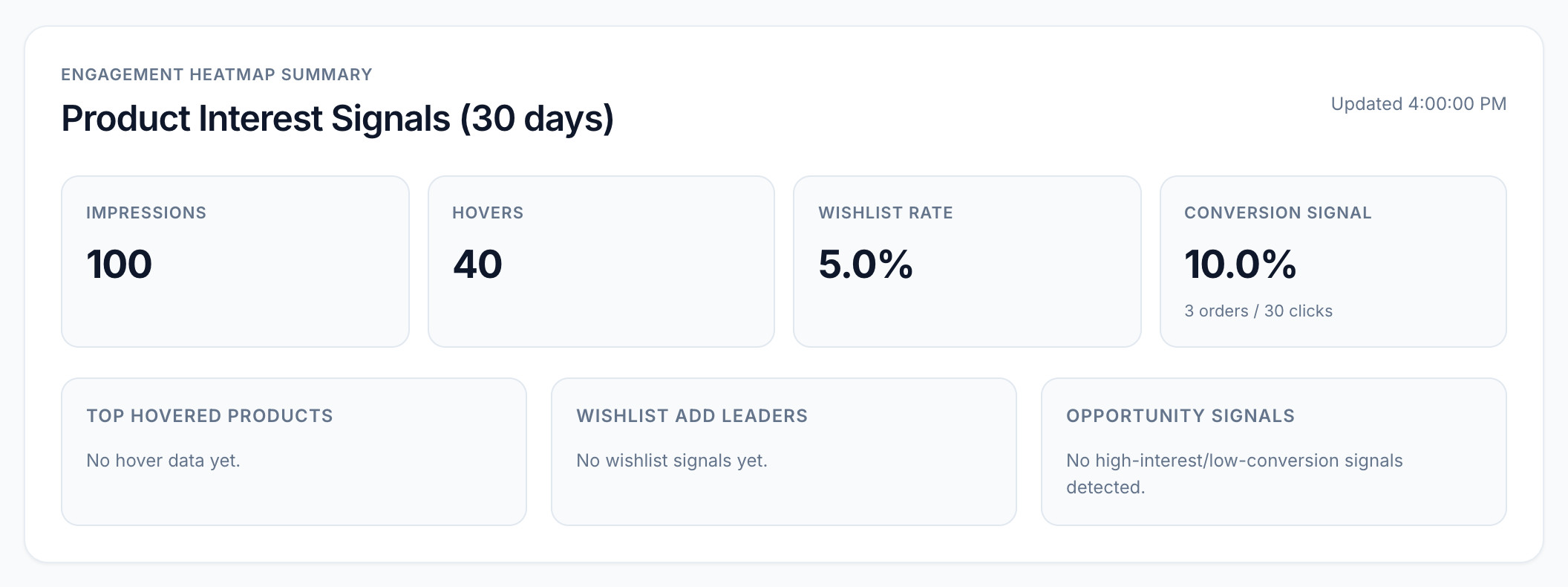
View full-size image: Engagement summary
ScreenshotStep 5
Local image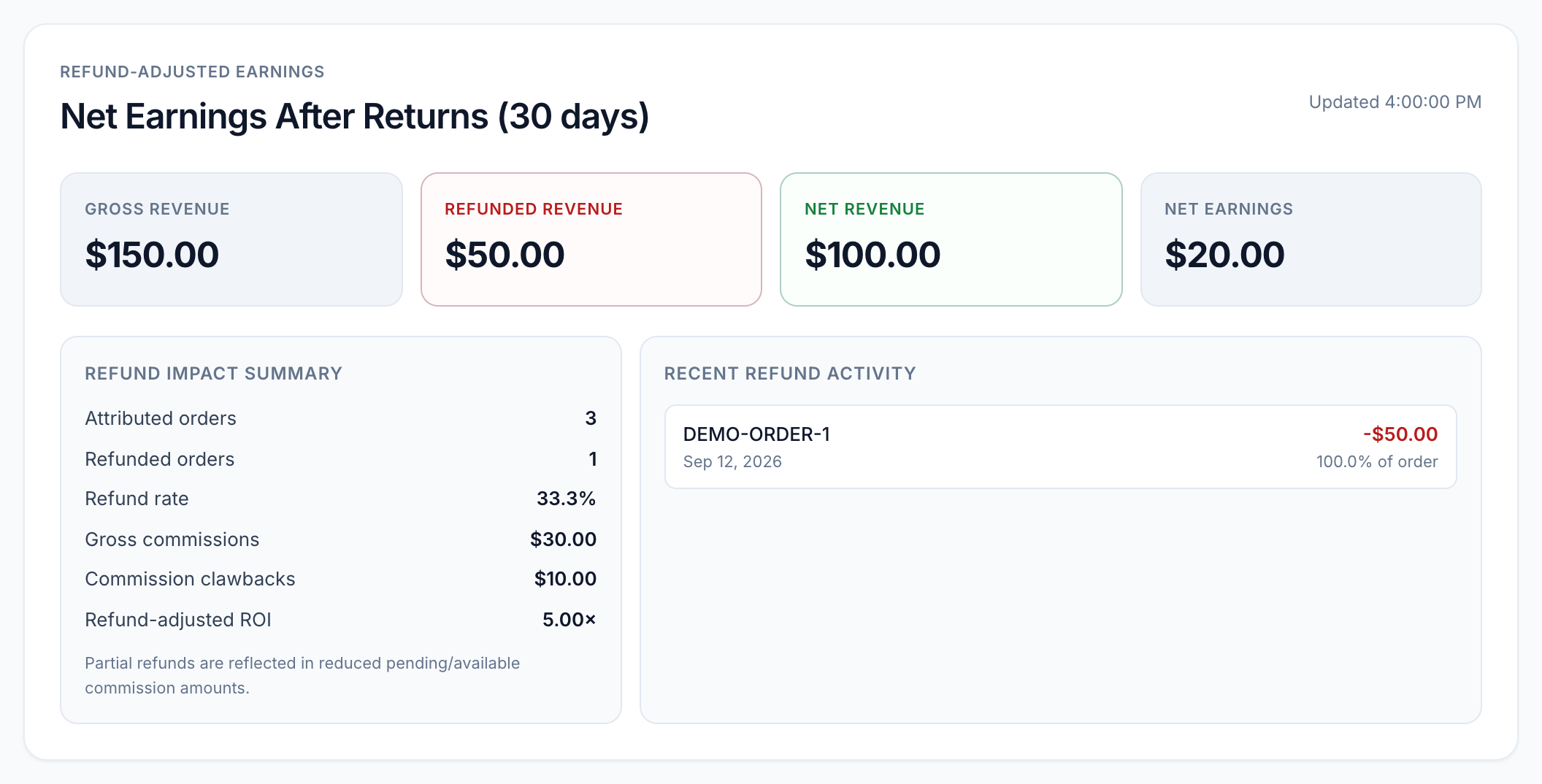
View full-size image: Refund-adjusted earnings
Settings explained
- Real-time metrics show the current storefront performance picture.
- Commission breakdown helps you understand the state of your earnings.
- Deep link performance compares how shared links are performing.
- Engagement summary helps you spot stronger and weaker shopper interest patterns.
- Refund-adjusted earnings show performance after refunds and order changes are accounted for.
Example
A VIP Partner sees strong traffic but weaker link conversion, reviews the deep link results, and then updates the storefront layout and product notes before the next promotion.
Tips and limits
- Start with the top summary before focusing on one report.
- Compare analytics with the active store context so you do not review the wrong store.
- Use discount and storefront pages together with analytics when conversion needs improvement.