
VIP PartnerOverview
Build your storefront
See which storefront page to open for content, layout, products, access, discounts, and SEO.
Last reviewed: Sep 14, 2026UI path: Partner dashboard → active VIP store → Storefront Management
Before you start
- Have VIP Partner access in the current store.
- Have products available for selection.
Where to find it
Partner dashboard → active VIP store → Storefront Management
Steps
ScreenshotStorefront editing
Local image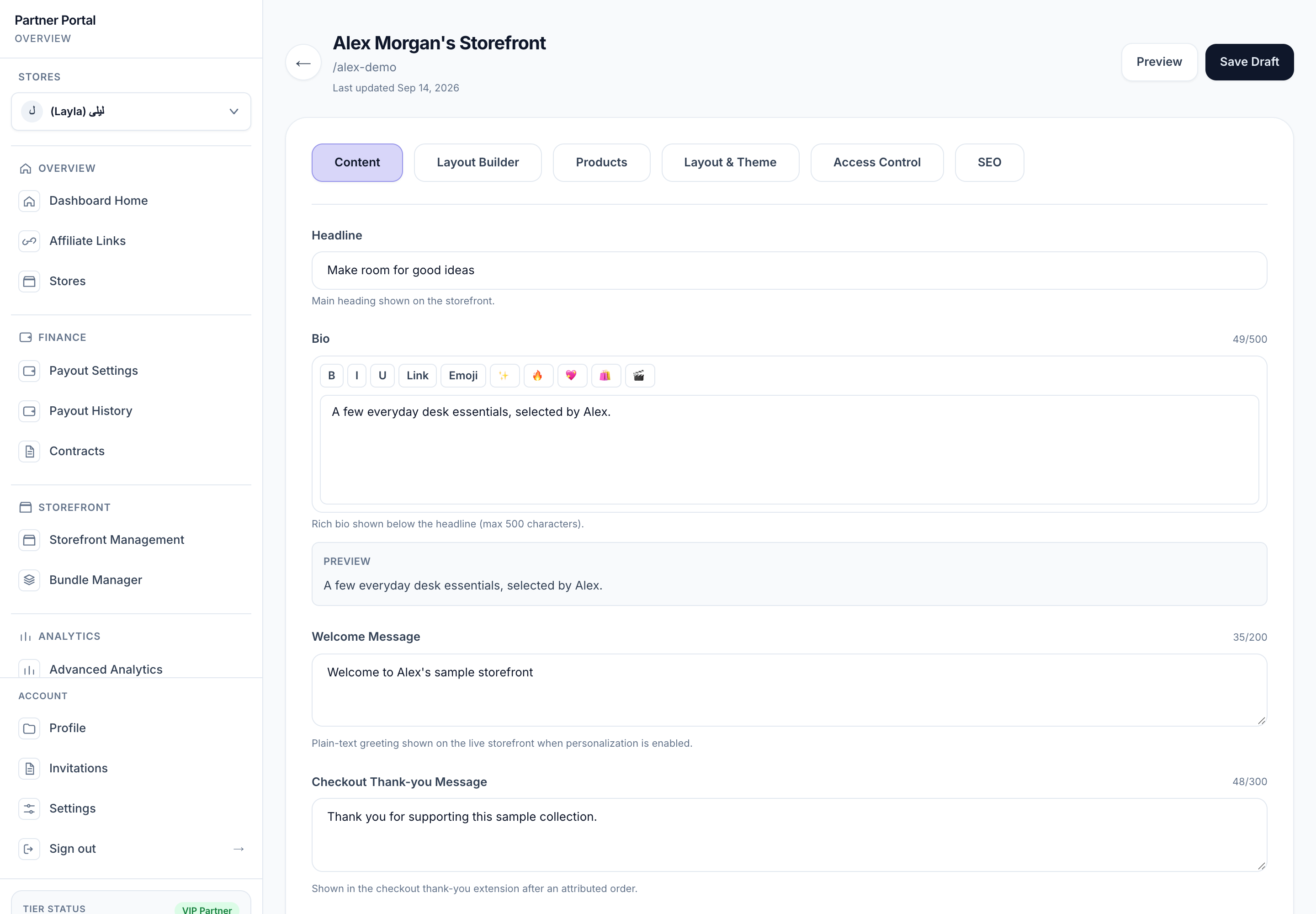
View full-size image: VIP storefront content controls
- Select the VIP store you want to edit.
- Open Storefront Management.
- Use the builder tabs for Content, Layout Builder, Products, Layout & Theme, Access Control, and SEO.
- Open Bundle Manager separately when you want to create curated product groups.
- Use this page as a quick map, then open the detailed page for the exact task you need.
Settings explained
- Welcome message shapes the opening tone on the storefront.
- Thank-you message appears later in the shopper journey when that experience is enabled.
- Layout Builder controls how content blocks appear on the page.
- Theme and layout affect style, grid width, and note visibility.
- Access control manages storefront privacy and discount behavior.
- SEO controls how the storefront is described in a search result preview.
Example
A VIP Partner creates a storefront for a seasonal collection by uploading a new hero image, switching to a bold theme, turning on a hidden storefront discount, adding product notes for featured items, and publishing a clean storefront description.
Tips and limits
- This page is a quick map of the storefront tools. Open the detailed pages when you want exact steps for one task.
- Save changes before leaving the builder if you are making a lot of edits.
- Product notes are useful when they sound personal and specific.
- Private access modes are helpful for limited launches or invite-only campaigns.