
VIP PartnerOverview
Advanced VIP tools
See which VIP tool to open for bundles, analytics, discount reporting, brand assets, content rights, and gifting.
Last reviewed: Sep 14, 2026UI path: Partner dashboard → active VIP store → Bundle Manager, Advanced Analytics, Discount Visibility, Press Kit, UGC Rights, Gifting Status
Before you start
- Have VIP Partner access in the current store.
Where to find it
Partner dashboard → active VIP store → Bundle Manager, Advanced Analytics, Discount Visibility, Press Kit, UGC Rights, Gifting Status
Steps
ScreenshotSteps 1–3
Local image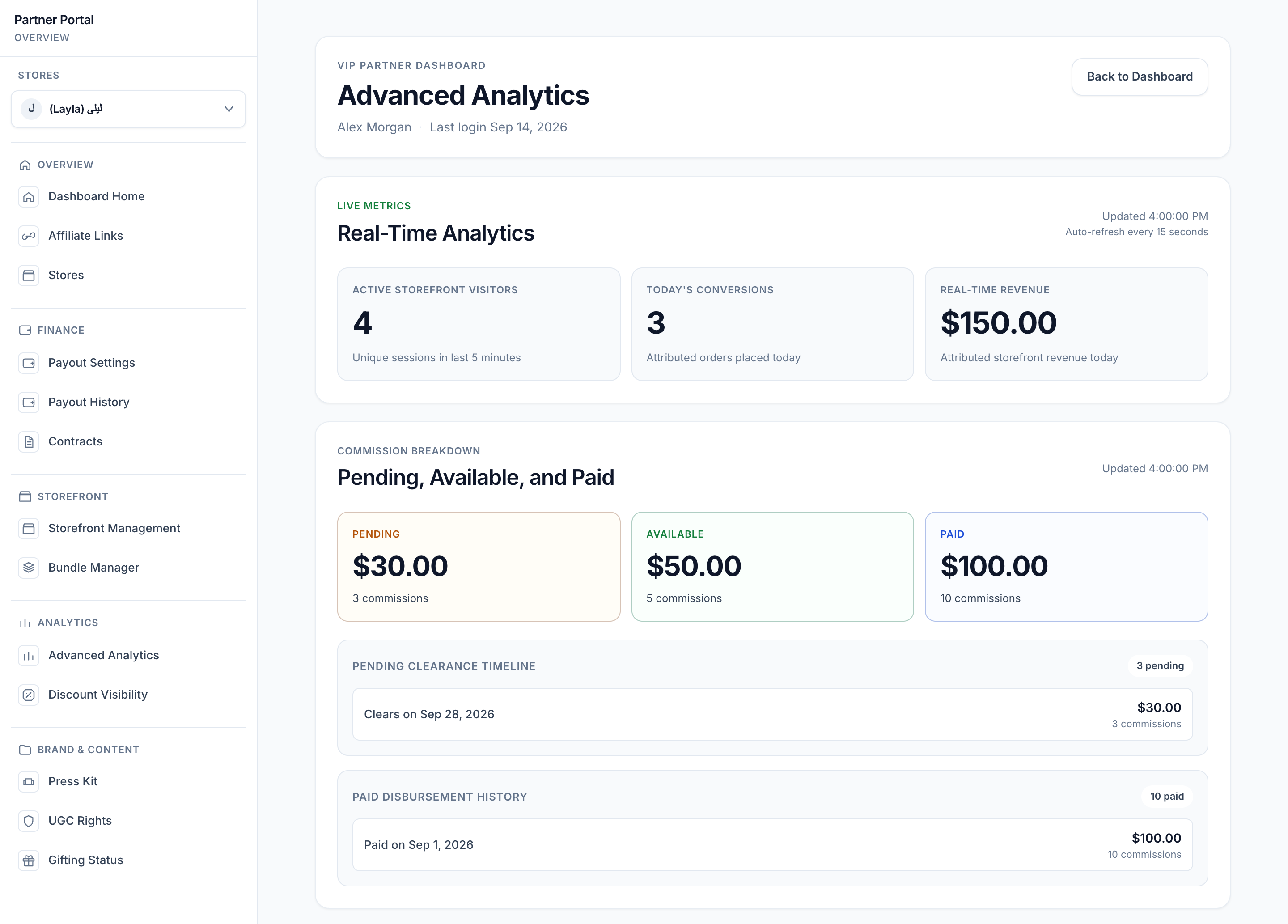
View full-size image: Analytics and commission overview
- Open Bundle Manager to create or update curated bundles.
- Open Advanced Analytics to review real-time metrics, commission breakdown, deep link performance, and refund-adjusted earnings.
- Open Discount Visibility to see how the storefront discount is presented and where it is applied.
- Open Press Kit to download approved assets and brand guidance.
- Open UGC Rights to review which assets have commercial rights and revoke them when needed.
- Open Gifting Status to check welcome gift progress and update shipping details.
Settings explained
- Bundle Manager is for grouped product storytelling and conversion support.
- Advanced analytics helps VIP partners understand not only clicks and orders, but also deeper performance patterns.
- Discount visibility explains how shoppers are seeing or not seeing storefront discounts.
- Press Kit centralizes approved brand assets and talking points.
- UGC Rights tracks permission status for content usage.
- Gifting Status shows the shipment progress of the welcome gift and the shipping address on file.
Example
A VIP Partner launches a new bundle, checks the live discount visibility, downloads fresh product photos from the press kit, and then reviews real-time metrics after the first promotional posts go live.
Tips and limits
- This page is an overview. Use the detailed VIP tool pages for exact workflows.
- Bundle and storefront performance work best when product selection stays focused.
- Rights status is important before allowing any commercial reuse of uploaded content.
- If a store relationship changes, advanced tools may disappear until you switch back into an eligible store context.