
VIP PartnerGuide
Bundle Manager
Create, update, publish, and archive curated bundles, then review how each bundle performs.
Last reviewed: Sep 14, 2026UI path: Partner dashboard → active VIP store → Storefront → Bundle Manager
Before you start
- Have VIP Partner access in the current store.
- Have products selected for the storefront.
Where to find it
Partner dashboard → active VIP store → Storefront → Bundle Manager
Steps
ScreenshotSteps 1–3
Local image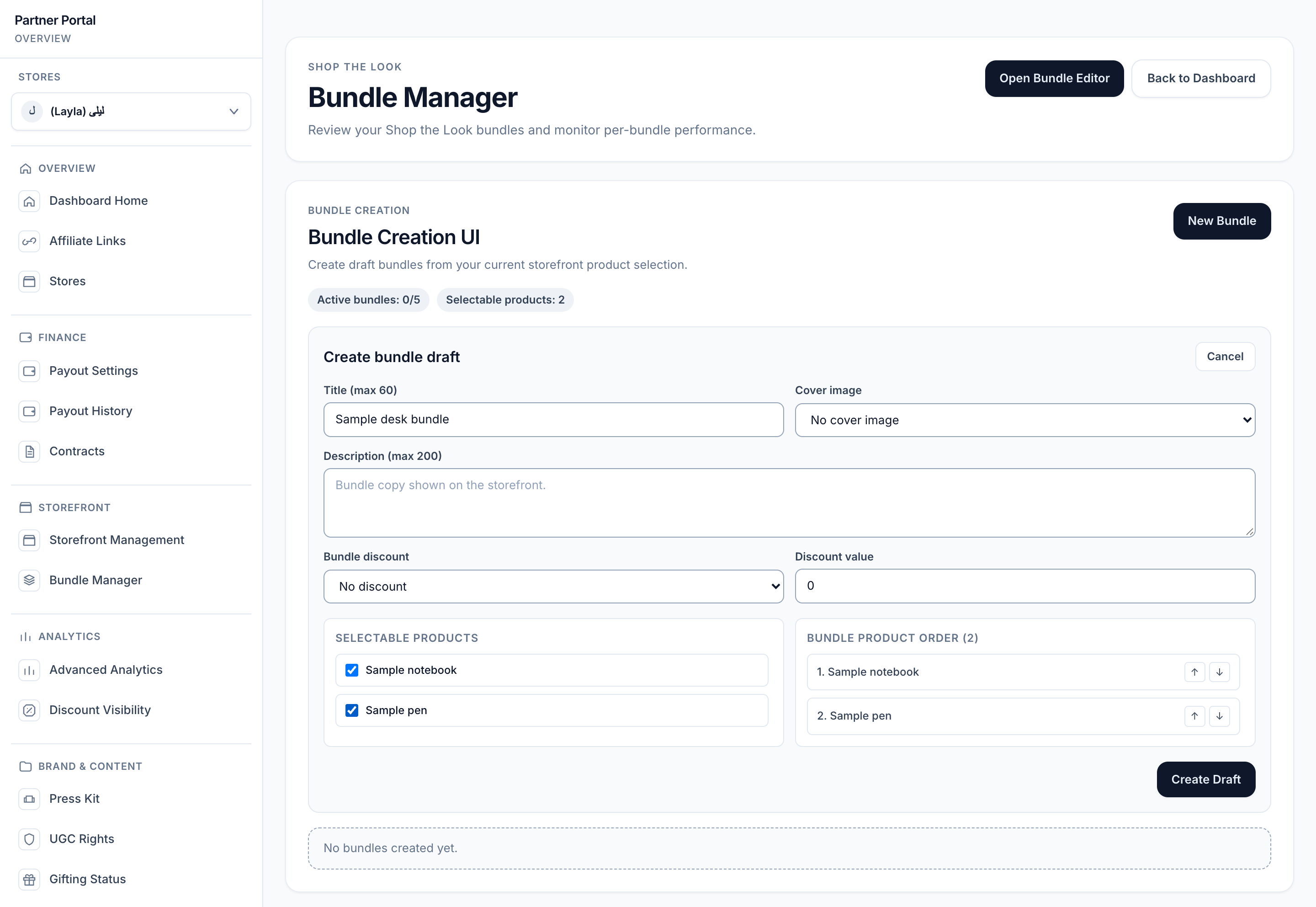
View full-size image: Bundle creation controls
- Open Bundle Manager.
- Use Open Bundle Editor or the Bundle Creation panel to create or edit bundle drafts.
- Choose the title, description, cover image, optional bundle discount, and at least two eligible products.
- Publish the bundle when it is ready for shoppers.
- Archive older bundles when they are no longer part of the active storefront plan.
- Review Bundle Gallery for status and Per-Bundle Metrics for add-all clicks, conversion rate, average bundle value, and attributed orders.
Settings explained
- Draft means the bundle is still being prepared.
- Published means the bundle is live and ready for shoppers.
- Archived means the bundle is no longer active.
- Bundle discount can be none, percentage-based, or fixed amount depending on the bundle setup.
- Performance cards help you compare results after a bundle has shopper interaction data.
Example
A VIP Partner creates a seasonal skincare routine bundle, publishes it for a campaign week, then reviews the bundle metrics to decide whether it should stay live after the campaign ends.
Tips and limits
- Keep each bundle focused around one story or shopper need.
- Bundles need eligible selected products with variants before they can be created or published.
- Archive old bundles when they no longer fit the storefront.
- Review bundle results alongside storefront analytics for a clearer performance picture.