
Standard AffiliateOverview
Links, payouts, and contracts
See which page to open for links, payout setup, payout requests, and contracts.
Last reviewed: Sep 15, 2026UI path: Partner dashboard → Affiliate Links, Payout Settings, Contracts
Before you start
- Have at least one active store affiliation.
Where to find it
Partner dashboard → Affiliate Links, Payout Settings, Contracts
For current connection and destination examples, see the illustrated PayPal guide.
Steps
ScreenshotStep 1
Local image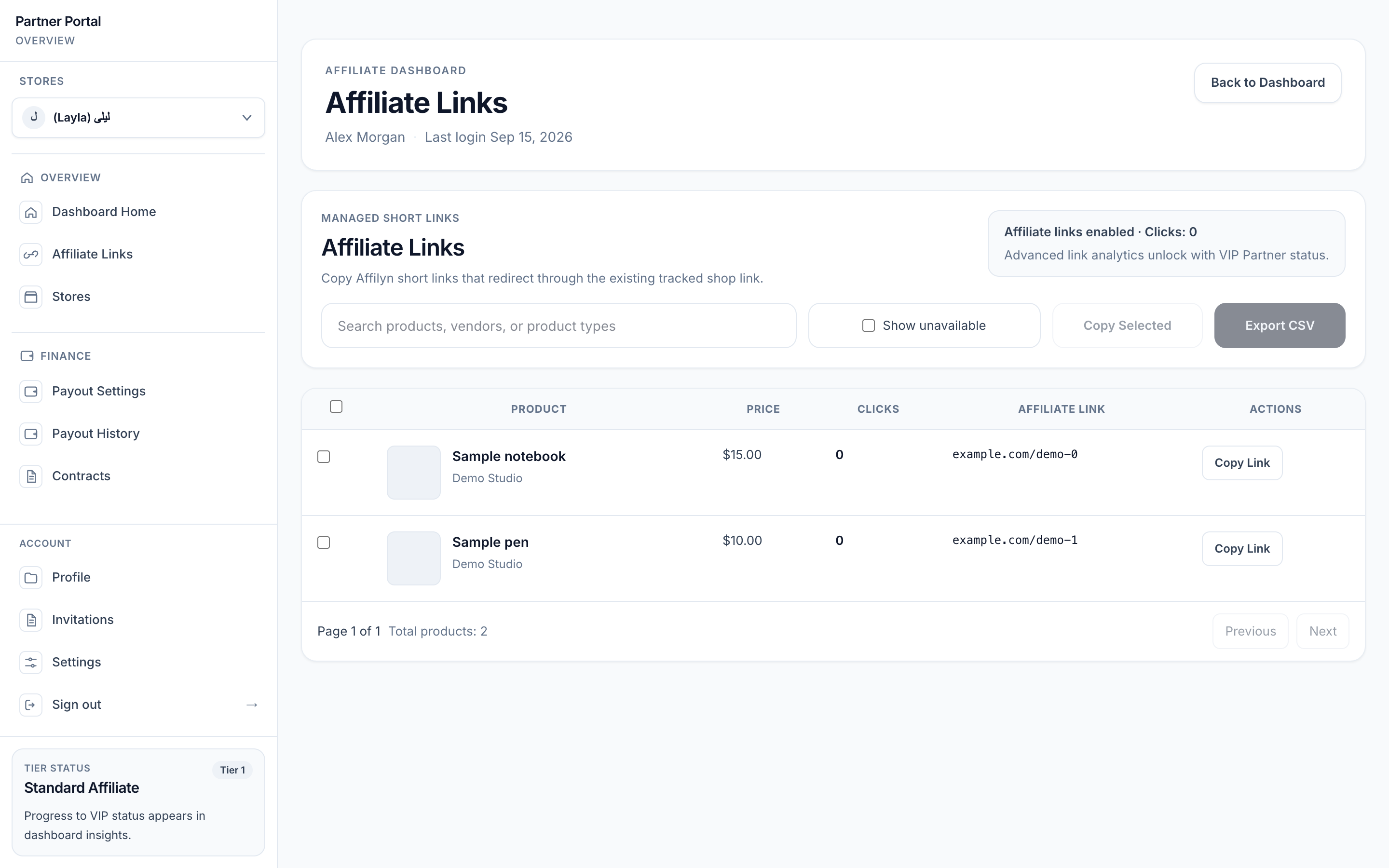
View full-size image: Affiliate Links page
ScreenshotPartner payout setup
Local image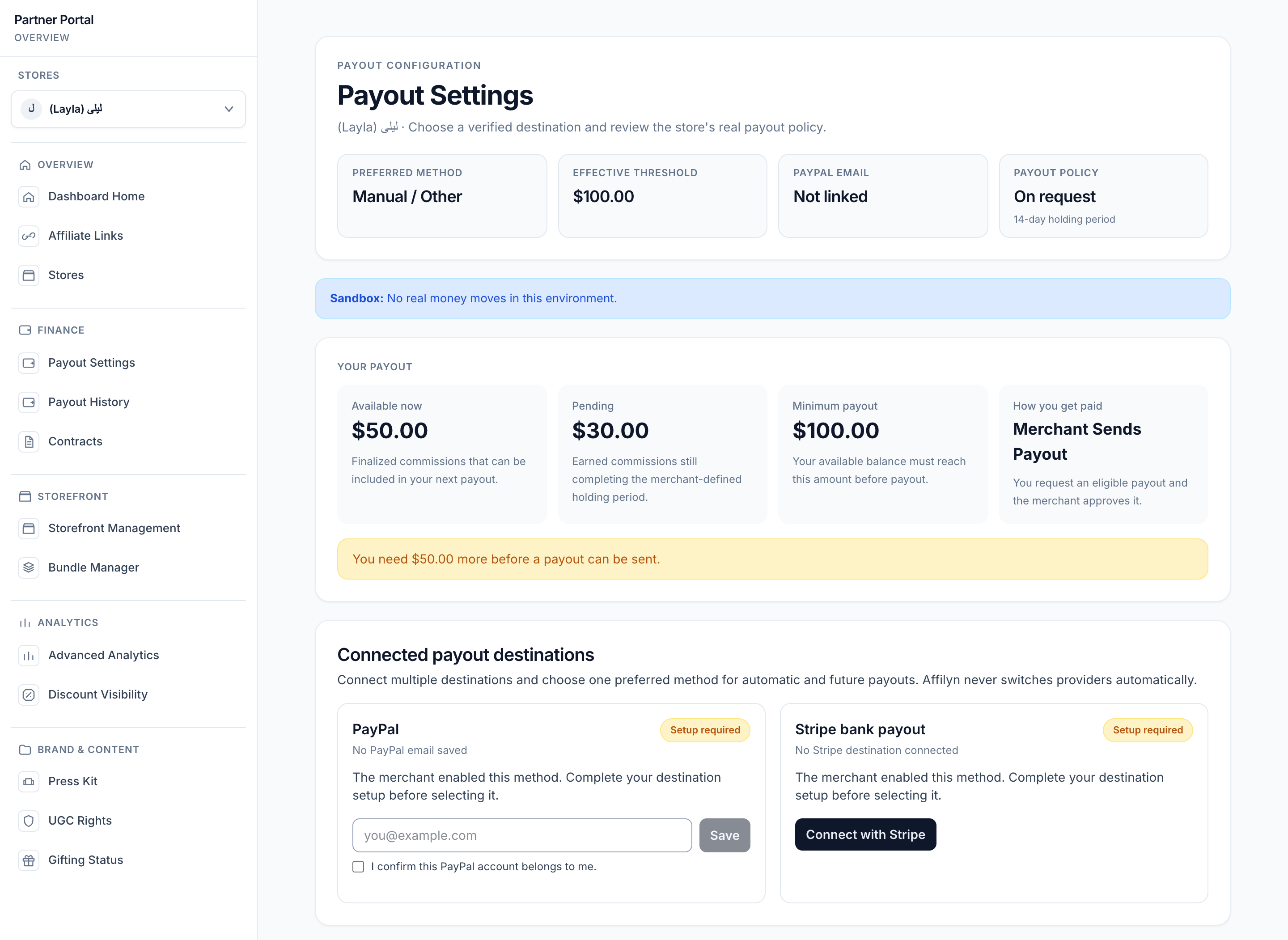
View full-size image: Partner payout settings and balance
ScreenshotSteps 1–2
Local image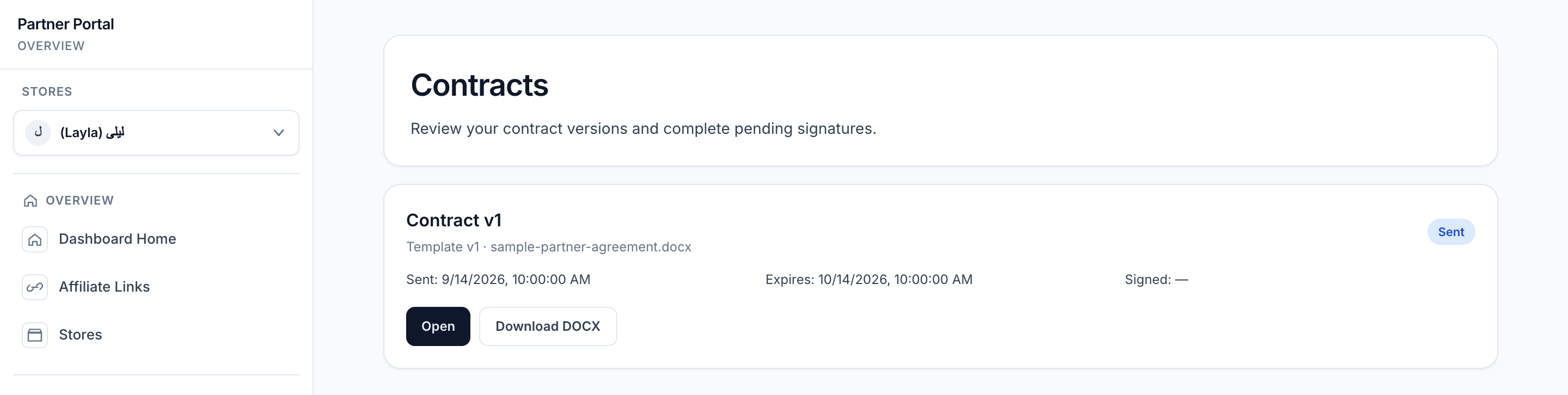
View full-size image: Unsigned contract in the list
- Open Affiliate Links to search products, copy links, export link data, or sync products if the catalog is not ready.
- Open Payout Settings to link the necessary payout account details and then choose the active payout method for the current store.
- Submit a payout request only when your available balance meets the effective threshold and no earlier request is still pending.
- Open Contracts to review sent contracts, download files, or sign when required.
Settings explained
- Affiliate Links gives you tracked links for individual products.
- Payout Settings stores your linked payout accounts, active payout method, threshold override, and recent payout activity for the current store.
- Contracts keeps your active and historical agreement files in one place.
Example
A partner launches a campaign by generating new product links, then opens Payout Settings to confirm Stripe is linked, active, and available for the current store before requesting payout at the end of the month.
Tips and limits
- This page is an overview. Use the detailed affiliate links, payout, and contract pages for exact workflows.
- If a product list looks incomplete, refresh or sync the product catalog before assuming the product is unavailable.
- A payout request can stay pending until the merchant approves it, and another automated request cannot be submitted while one is still pending.
- If a payout method looks unavailable, check the active store before assuming your linked account is broken.
- Contracts may appear in different states depending on whether they are draft, sent, signed, or no longer active.