Payout and contract issues
Solve the most common payout request, payout method, payout status, contract status, and signing problems for merchants and partners.
Before you start
- Confirm whether the issue is on the merchant side or the partner side.
Where to find it
Documentation → Troubleshooting → Payout and contract issues
Steps
- Confirm whether the issue is about account linking, active method selection, request eligibility, merchant review status, or contract signing.
- Check the current status badge before trying to fix the problem.
- Review the connected settings page or contract detail before taking a new action.
- Confirm whether the problem belongs to the partner side or merchant side.
Common causes
- Missing payout request action usually means the active method is not automated, the linked account is not verified, the threshold is not met, or another request is pending, under review, approved, or processing.
- Stripe says Connect Stripe first means the Stripe account-linking step is not finished yet. Setting the method active does not create the Stripe connection.
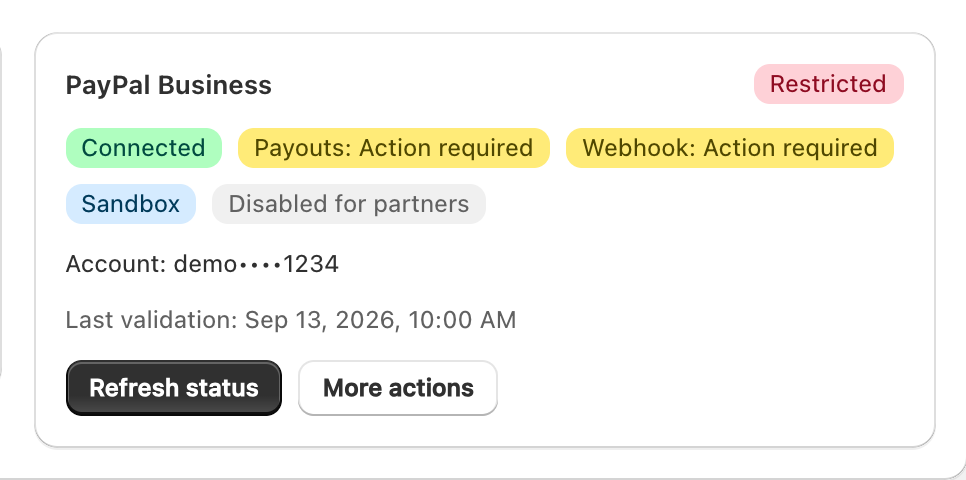
- Method shows unavailable usually means the merchant has not connected and enabled it for this store. PayPal additionally requires Payouts access, an operational merchant webhook, and partner email confirmation.
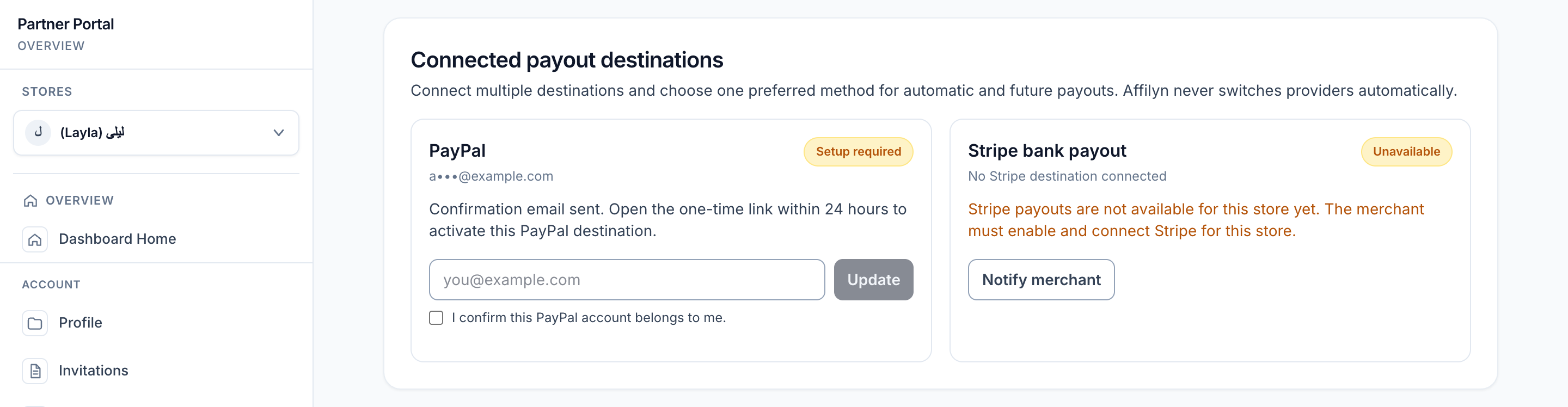
- PayPal is pending confirmation means the partner must use the newest one-time confirmation email within 24 hours before making PayPal preferred.
- Merchant cannot approve a request usually means the method is not runnable or a production preflight check is failing.
- Pending payout means the merchant still needs to review the request.
- Cancelled request releases the exact commission rows reserved when the request was submitted.
- Failed or dead-letter payout needs review of execution attempts, provider references, errors, and operational health before a safe retry.
- Reversed payout requires reconciliation because a previously recorded settlement was subsequently reversed.
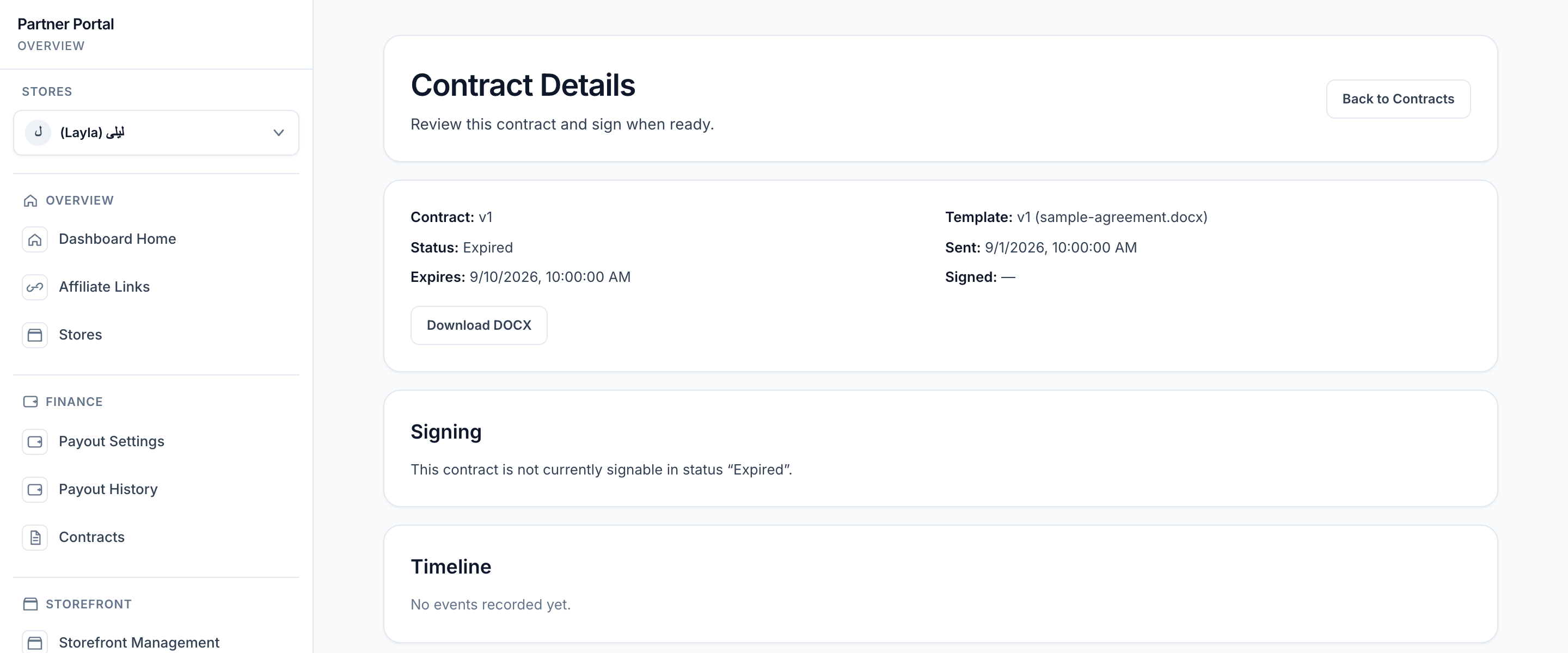
- Voided or expired contract means that version cannot be signed anymore.
- Viewed but unsigned contract means the partner opened the agreement but has not finished signing yet.
Example
A partner cannot request payout, checks the page again, and finds that Stripe still says Connect Stripe first. The next step is to finish the Stripe linking flow for the current store instead of retrying Set as active.
Tips and limits
- Check the status before retrying a payout or signing action.
- Merchants should review payout readiness before troubleshooting partner-side request errors.
- Partners should confirm the active store before assuming a payout or contract record is missing.
- The personal threshold override currently applies across store contexts because it is stored on the creator profile.
- Live execution fails closed when the safety gate, payout encryption, worker authorization, production runtime, or the selected provider's merchant/destination configuration is not ready. Stripe webhook configuration is not required when Stripe is unused.
Common fixes
| Problem | First check | Next check |
|---|---|---|
| Request payout button is missing | Check the active method and whether it is automated | Check account verification, threshold, and pending-request state |
| Stripe cannot be selected yet | Finish Connect with Stripe or Connect test Stripe first | Check whether Stripe is enabled for the current store |
| PayPal cannot be selected yet | Confirm the newest PayPal destination email | Check merchant Payouts/webhook readiness and store enablement |
| Method shows unavailable | Check the active store | Ask the merchant to enable and connect that method for the store |
| Merchant cannot approve a request | Check Payout Settings and live preflight | Check operational health and the execution job |
| Payout request is still pending | Confirm the merchant has reviewed the queue | Cancel it while pending or under review if it is no longer needed |
| Execution job failed or dead-lettered | Inspect attempts, provider reference, and errors | Resolve the cause before using safe retry |
| Contract cannot be signed | Check whether the contract is still active | Review whether it is voided or expired |
| No contract appears | Confirm the current store context | Ask the merchant whether the agreement was sent |
Recognize payout and contract blockers
The examples below use fictional records and masked sample contact details. Merchant provider setup, partner destination confirmation, payout eligibility, and contract status are separate checks.
Merchant provider is not ready
In Payouts, inspect the PayPal Business card. A connected account can still be Restricted if Payouts access or webhook readiness needs attention.
View full-size image: Merchant PayPal readiness needs attention
Partner destination is awaiting confirmation
In the selected store's Payout Settings, read the PayPal confirmation instruction. Use the newest one-time email within 24 hours before making the destination preferred.
View full-size image: Partner PayPal destination is not confirmed
Available balance is below the minimum
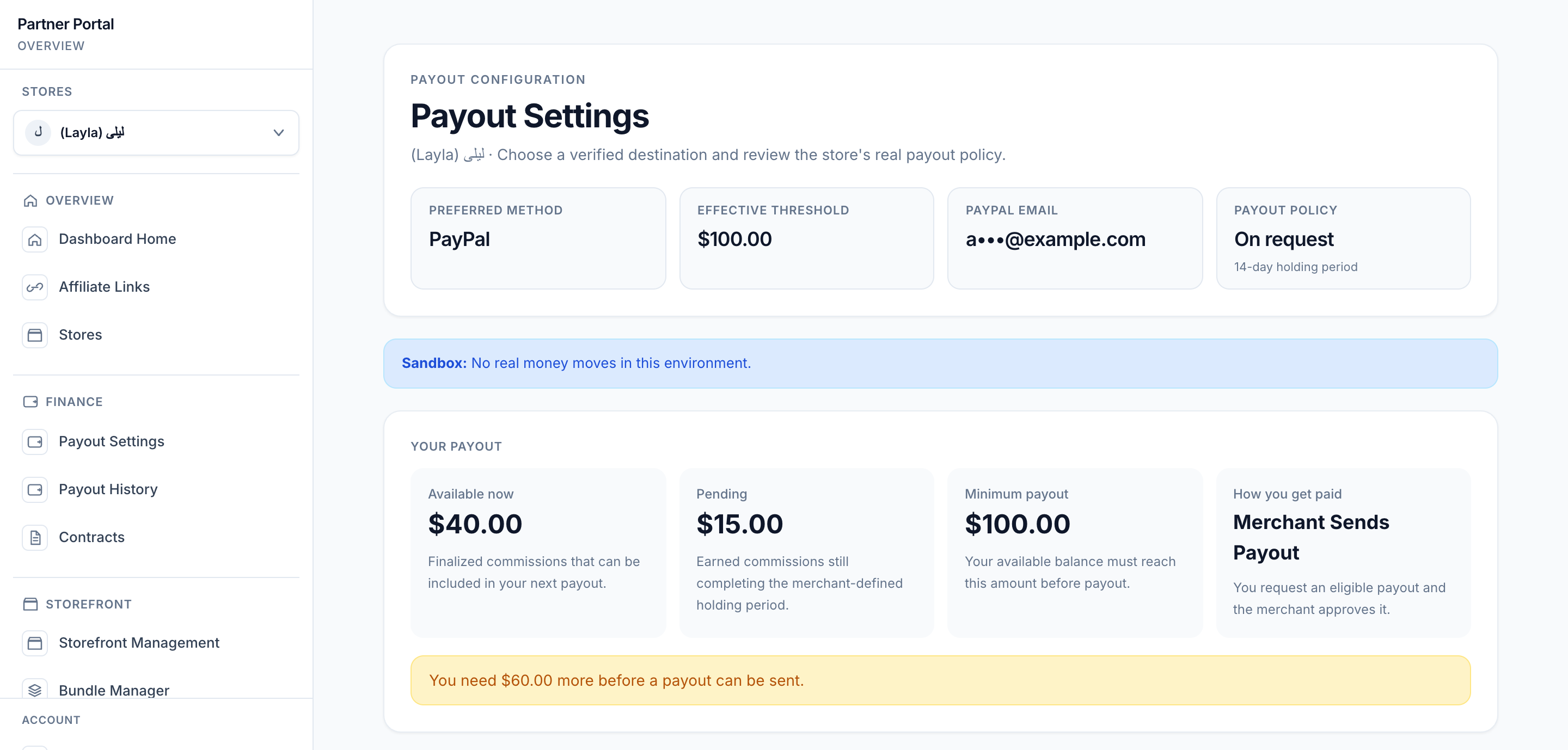
Compare Available now with Minimum payout. Pending commissions are shown separately and do not count as available until their holding period completes.
View full-size image: Check the available balance against the threshold
Then read the reason beside Request payout in Payout activity. In this example the destination is already preferred; the USD 60 threshold shortfall is the blocker.
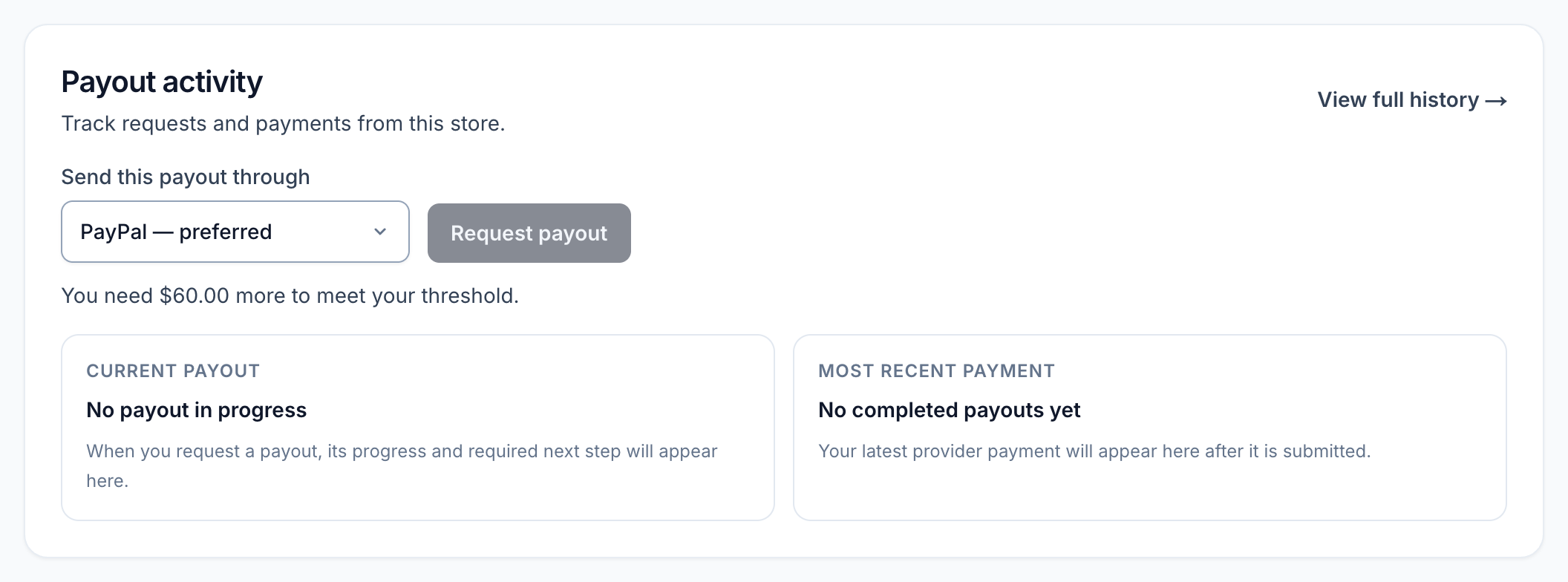
View full-size image: A concrete reason for a disabled payout request
Contract is expired
Check the status and expiry date before trying to sign. Returning to the list or downloading the existing file does not make an expired version signable; ask the merchant whether a current agreement has been sent.