
VisitorGuide
Browse storefronts and discounts
Understand what a shopper or public visitor can see on a storefront, including hero content, welcome messaging, product sections, and discount visibility.
Last reviewed: Sep 14, 2026UI path: Open the shared storefront URL in a browser
When to use this page
- You want to understand what the public storefront is supposed to show before shopping or sharing it.
- You are checking whether a storefront campaign, discount, or welcome message looks correct.
Before you start
- Have a live storefront link or preview link from the brand or partner.
Success looks like
- You can tell whether the storefront hero, featured products, and discount presentation look intentional and complete.
- You know whether a discount is meant to be visible immediately or later in the storefront journey.
Where to find it
Open the shared storefront URL in a browser
What to look for
The screenshots show the current storefront renderer with fictional products and a sample discount. Your store’s published design, prices, and eligibility may differ.
- Check the hero headline, visual style, and featured products first.
- Notice whether the storefront shows a welcome banner or other personalized copy.
- Review how the discount appears. Some storefronts show it clearly, while others reveal it later in the shopper journey.
- Keep browsing with the active storefront link rather than switching to dashboard pages that visitors cannot use.
Screenshot
Local image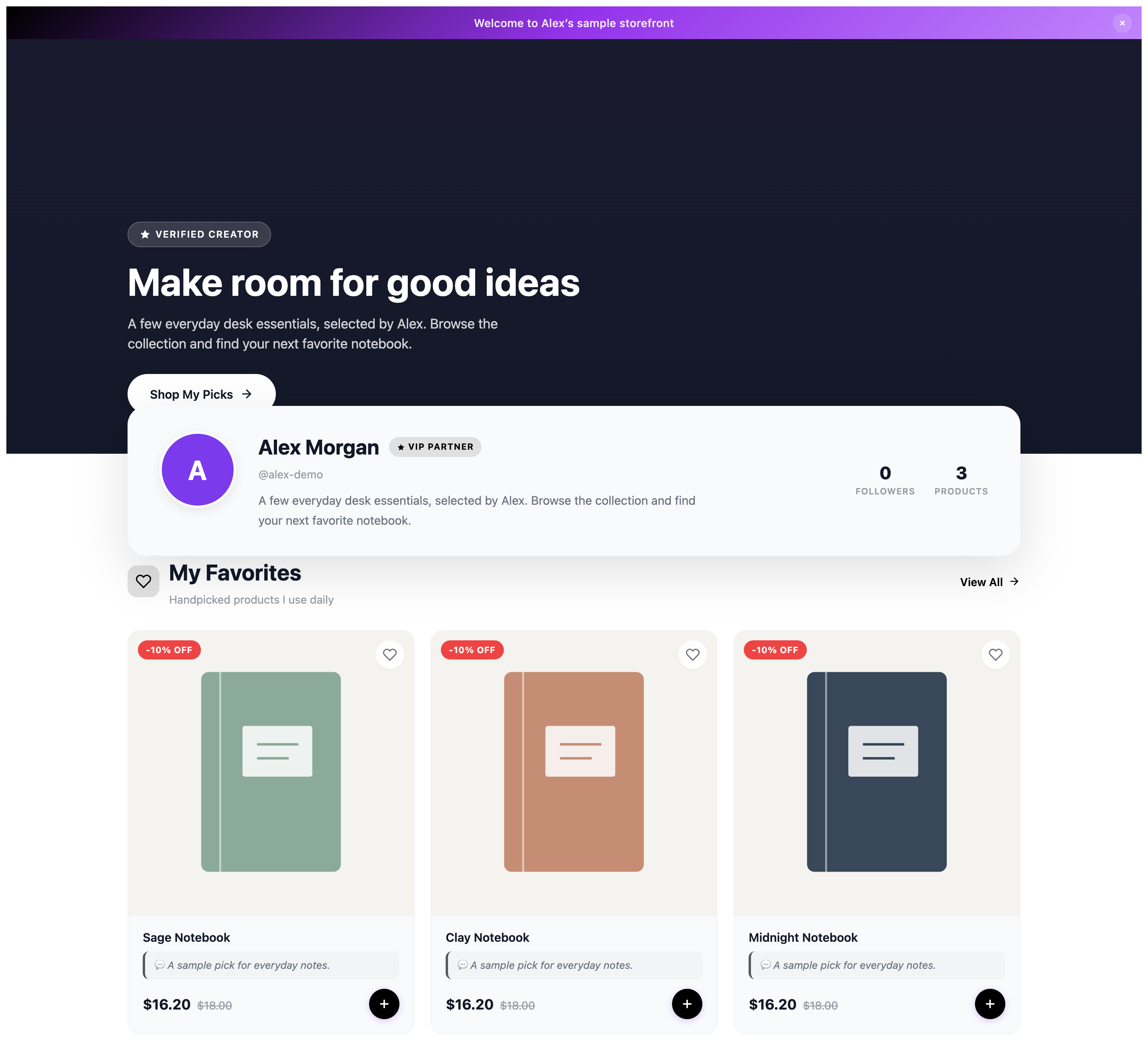
View full-size image: Browse the partner’s featured products
Helpful expectations
- Public storefronts are designed for browsing and shopping, not private account management.
- A VIP partner storefront can look more personalized than a general brand storefront.
- If a storefront looks different on a second visit, the change may come from returning-visitor messaging or active campaign styling.
- In this example, the product cards show a discount badge, the original price, and the reduced price. The banner explains the displayed offer; check the merchant’s terms and the final checkout total for your purchase.
Screenshot
Local image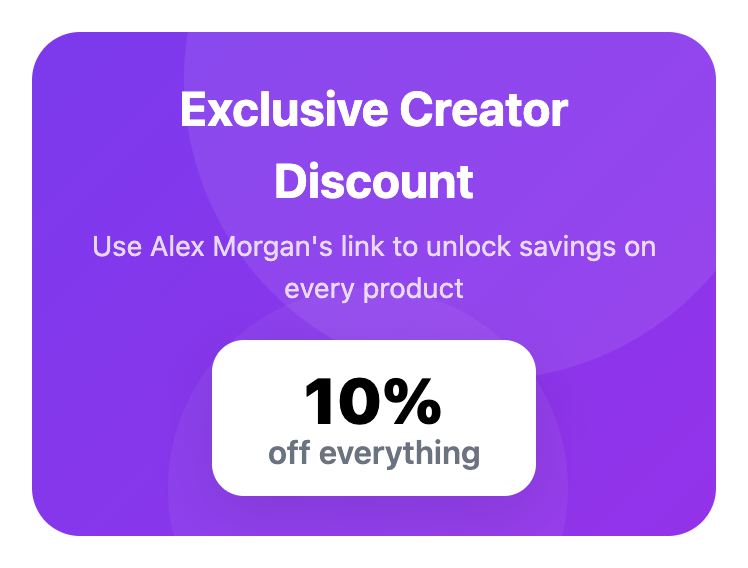
View full-size image: Read the discount presentation on mobile
Current behavior
- Storefronts can show different welcome messaging for first-time visitors and returning visitors when that experience is enabled.
- Seasonal styling and campaign-specific presentation can change the page without changing the underlying product list.
Limitations
- Seeing a public storefront does not give you access to partner dashboards or private partner tools.
- Discount visibility can vary by storefront access mode, active campaign, or merchant configuration.